| System Setting Name | Description |
|---|---|
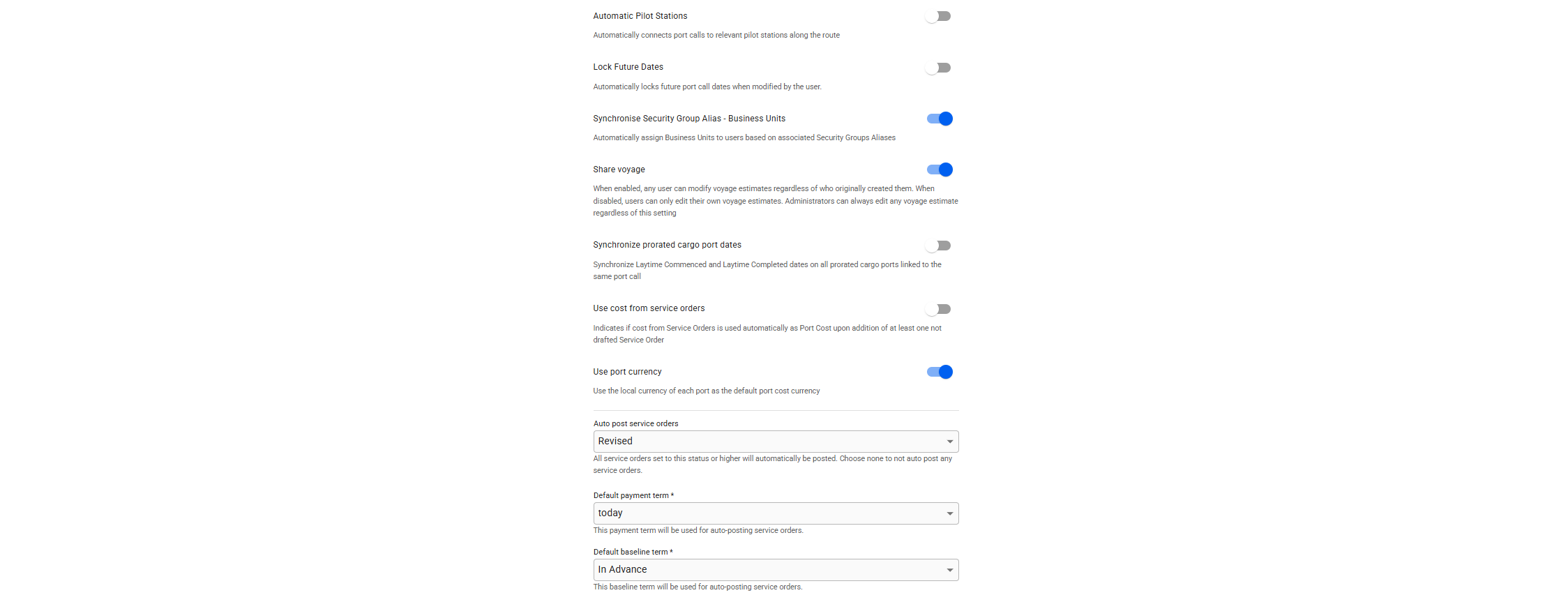
| Automatic Pilot Stations | Automatically adds pilot stations to port calls at arrival and departure if at least one exists. This affects consumption and date estimation figures and applies only to newly created voyages. |
| Lock Future Dates | Automatically locks future port call dates when modified by the user. NOTE: This preference only applies to dates changed after the setting is enabled. |
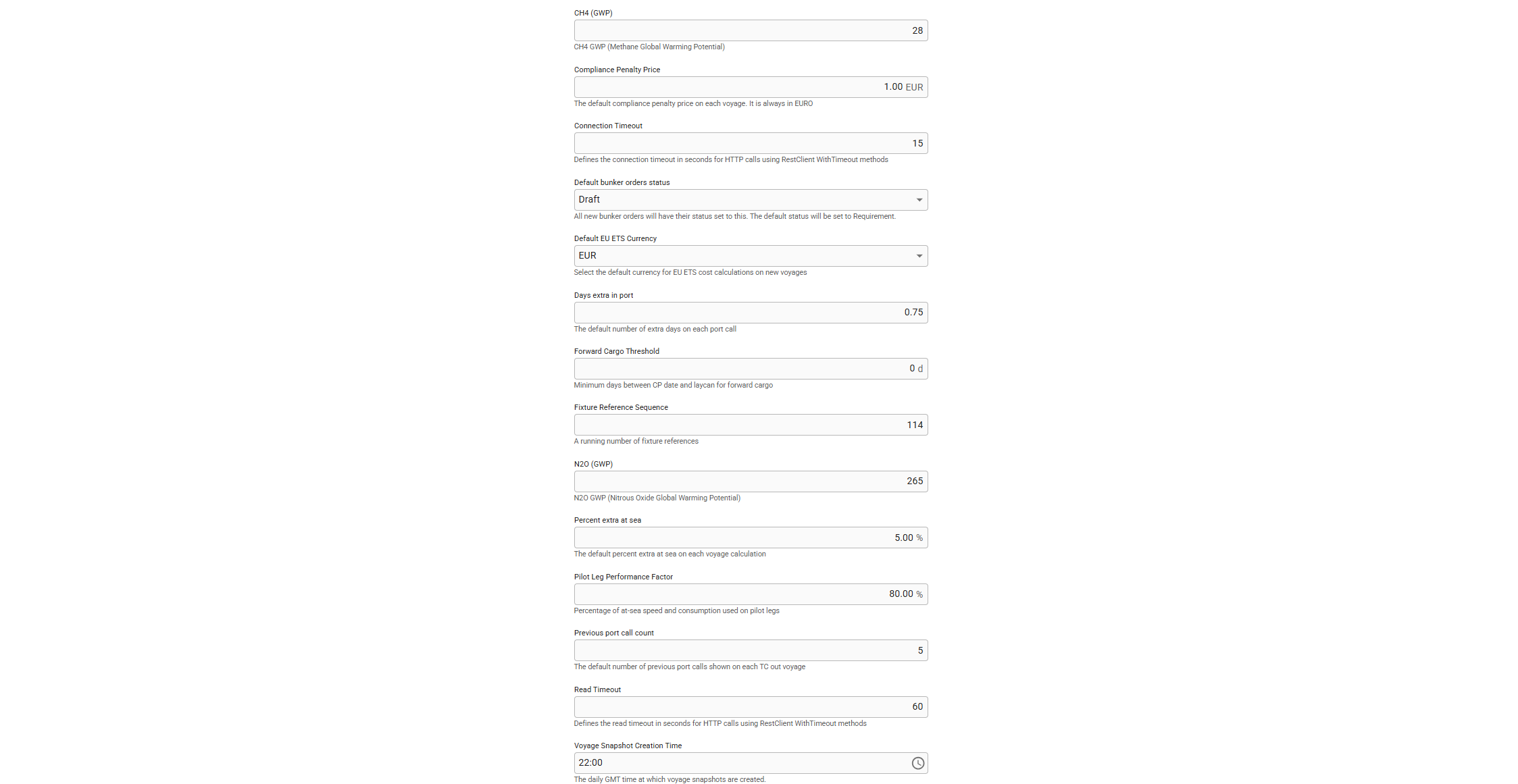
| Forward Cargo Threshold | The number of days required between CP Date and Laydays Cancelling for a cargo to become a Forward cargo. If set to 0, no cargo will receive type Forward. |
| Synchronize Security Group Alias- Business Units | When enabled, the system automatically assigns business units to users according to their designated Security Group Aliases. |
| Share Voyage | When the setting is enabled, all estimate voyages may be edited by other users than the creator. |
| Synchronize prorated cargo port dates | Enabling this feature ensures that all prorated cargo ports associated with the same port call will share identical Laytime Commenced and Laytime Completed dates. |
| Use cost from service orders | Allows automating the process of filling in port costs. If the option is enabled, the port cost will match the total amount among service orders linked to a port call. |
| Use new invoice template | Allows you to choose between printing documents using the new invoice template, or the old one. |
| Use port currency | Automatically sets the port cost currency to the local value. For example, a port call in Bergen will have the currency NOK. |
| Auto post service orders, along with - Service order status - Default payment term - Default baseline term | The system enforces automatic posting of documents that are created from a service order. For instance, if a service order contains multiple lines and the status of the service order changes to the specified status*, the related document lines will be combined into a posted document. This setting eliminates the need to manually select the service order document lines, assemble them into a document, and then post the document.
|
| CH4 (GWP) | This setting is used to set constant for the Methane Global Warming Potential. |
| Compliance Penalty Price | The default compliance penalty price on each voyage. It is always in EURO. |
| Default bunker orders status | Initial status when a bunker order is placed. Available statuses: Draft, Requirement, Stemmed, Delivered, Cancelled |
| Default EU ETS Currency | This setting is used to set the default currency for EU ETS cost calculations on new voyages. Note: Changing the setting will not affect previously created voyages. |
| Days extra in port | This setting is used to specify the default number of days extra in port for each new port call. |
| Fixture reference sequence | A running number used to generate the next fixture reference. Should only contain integer numbers. |
| N20 (GWP) | This setting is used to set constant for the Nitrous Oxide Global Warming Potential |
| Percent extra at sea | Allows defining a value used to set percent extra at sea for each leg in the system. |
| Pilot Leg Performance Factor | The factor applied to speed and consumption for legs traveling from a pilot station to a port, or from a port to a pilot station. |
| Previous port call count | Identifies the number of previous port call shown on each TC out voyage. |
| Voyage Snapshot Creation Time | The GMT time for generating voyage snapshots. |