> For the complete documentation index, see [llms.txt](https://docs.dataloy.com/llms.txt). Markdown versions of documentation pages are available by appending `.md` to page URLs; this page is available as [Markdown](https://docs.dataloy.com/voyage-management-system/step-by-step-guides/master-data/restricted-areas/additional-fields-start-and-end-dates.md).
# Additional Fields: Start and End Dates
From release 8.6, optional **Start Date** and **End Dates** have been added to [restricted areas](/voyage-management-system/step-by-step-guides/master-data/restricted-areas.md). This ensures that when planning a voyage, you have a clear overview of which zones are active and how they impact fuel consumption and compliance requirements.
***
## How Start and End Dates Affect Restricted Areas
When a vessel crosses an **ECA (Emission Control Area)/OLRA (Open Loop Restricted Area)** boundary or calls at a port within a restricted area, the Start and End Dates determine when the **restricted area rules apply**. This ensures regulatory compliance and helps with voyage planning by clearly defining when specific restrictions are in effect.
### Restricted Area Rules (At Sea)
If a route crosses a restricted area zone, the restricted area rules apply based on the **arrival date** at the **next port:**
* **If both Start and End Dates are provided**, the restricted area rules apply only if the arrival date falls within the date range.
* **If only a Start Date is provided**, the restricted area rules apply if the arrival date is after the Start Date.
* **If only an End Date is provided**, the restricted area rules apply if the arrival date is before the End Date.
* **If no dates are provided**, the restricted area rules apply for the ***entire route***.
### Restricted Area Rules (In Port)
When calculating fuel usage in port, the allowed [**bunker category**](/voyage-management-system/step-by-step-guides/master-data/bunker-categories.md) is determined as follows:
* **If the vessel has any allowed**[ **bunker categories**](/voyage-management-system/step-by-step-guides/vessels/vessel-speed-and-consumption-data.md#bunker-categories), the highest-priority one permitted in the restricted area is used.
* **If the vessel has no allowed bunker categories**, the highest-priority bunker category in the restricted area is used.
* **If the port is NOT within an ECA/OLRA zone:**
* **If vessel is scrubber fitted:**
* The highest-priority bunker category on the vessel is used if available.
* Otherwise, the highest-priority bunker from master data is used.
* **Otherwise:**
* The highest-priority vessel bunker category permitted in the port is used.
## [Voyage Map](/voyage-management-system/step-by-step-guides/voyages/maintain-voyages/overview/voyage-map.md) Updates
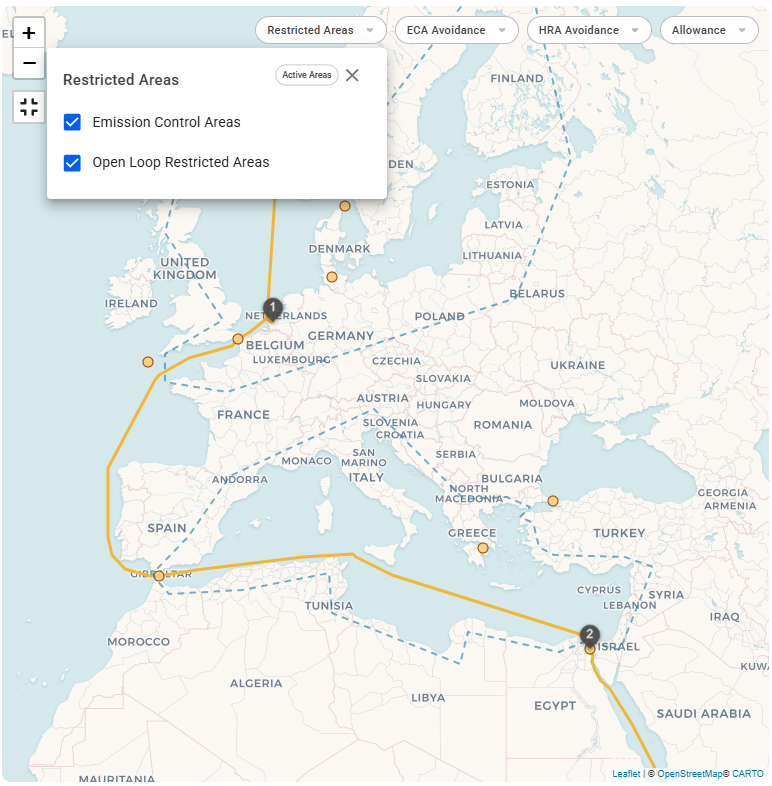
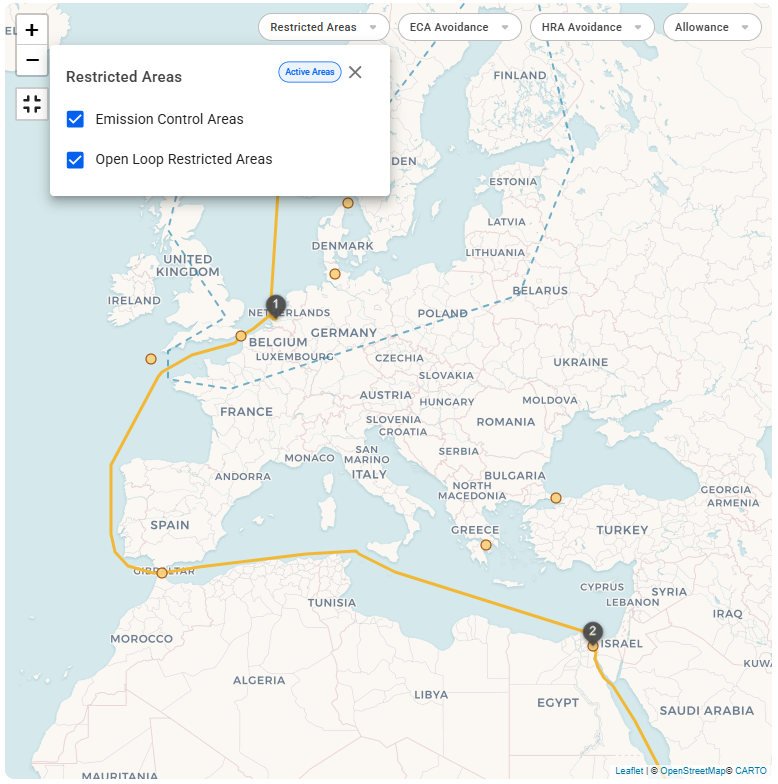
A new filter, **"Active Areas,"** has been added to display only restricted areas with active Start and End Dates. This filter is enabled by default and is ***voyage specific***. When selected, the map will only show the areas where restrictions are currently in effect for the ***current voyage***. This can be seen in the figures below.
{% tabs %}
{% tab title="Show All Areas" %}
Figure 1: 'Active Areas' filter not applied
{% endtab %}
{% tab title="Show Active Areas" %}
Figure 2: 'Active Areas' filter applied
{% endtab %}
{% endtabs %}
---
# Agent Instructions
This documentation is published with GitBook. GitBook is the documentation platform designed so that both humans and AI agents can read, navigate, and reason over technical content effectively. Learn more at gitbook.com.
## Querying This Documentation
If you need additional information that is not directly available in this page, you can query the documentation dynamically by asking a question.
Perform an HTTP GET request on the current page URL with the `ask` query parameter, and the optional `goal` query parameter:
```
GET https://docs.dataloy.com/voyage-management-system/step-by-step-guides/master-data/restricted-areas/additional-fields-start-and-end-dates.md?ask=&goal=
```
`ask` is the immediate question: it should be specific, self-contained, and written in natural language.
`goal` is optional and describes the broader end goal you are ultimately trying to accomplish on behalf of the user. GitBook uses it to tailor the answer towards what is most useful for that goal.
The response will contain a direct answer to the question and relevant excerpts and sources from the documentation.
Use this mechanism when the answer is not explicitly present in the current page, you need clarification or additional context, or you want to retrieve related documentation sections.