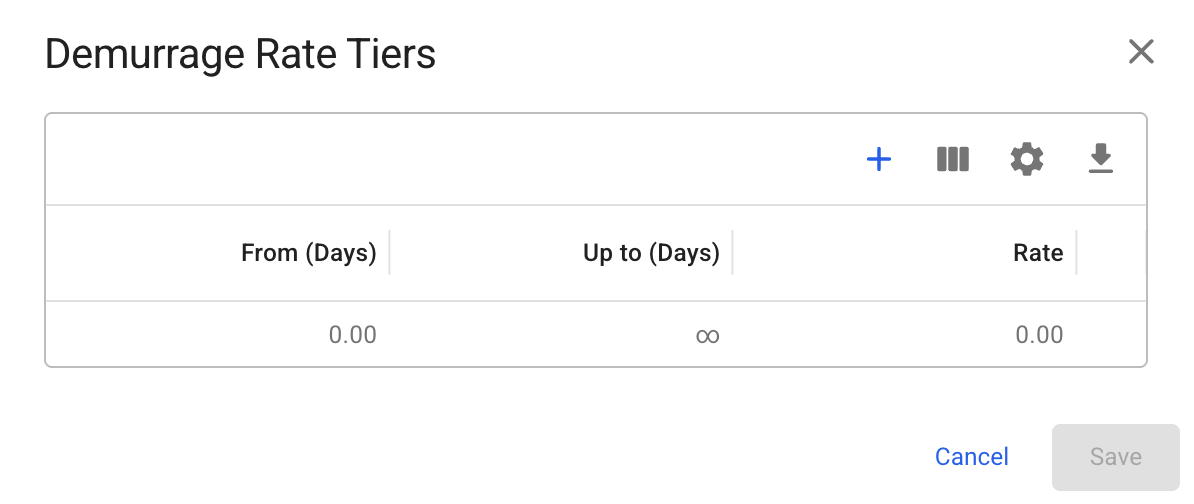
Fig. 1: Demurrage Rate Tiers modal with empty tiers
| Parameter | Value |
|---|---|
| Laytime allowed | 3 days |
| Time used | 7 days |
| Time lost | 4 days |
| From (Days) | Up to (Days) | Rate |
|---|---|---|
| 0 | 2 | $8,000 per day |
| 2 | 4 | $12,000 per day |
| 4 | ∞ | $16,000 per day |
| Tier range | Days applied | Rate | Amount |
|---|---|---|---|
| 0-2 | 2 days | $8,000 | $16,000 |
| 2-4 | 2 days | $12,000 | $24,000 |
| 4+ | 0 days | $16,000 | $0 |
| Parameter | Value |
|---|---|
| Laytime allowed | 3 days |
| Time used | 2 days |
| Time saved | 1 day |
| From (Days) | Up to (Days) | Rate |
|---|---|---|
| 0 | 2 | $4,000 per day |
| 2 | ∞ | $6,000 per day |
Tier Tier | Days applied Days applied | Rate Rate | Amount Amount |
| 0-2 | 1 day | $4,000 | $4,000 |
| 2+ | 0 days | $6,000 | $0 |
 icon to set the tiered rate.
Fig. 1: Demurrage Rate Tiers modal with empty tiers
 button. then enter a value in the **Up to (Days)** field to define the upper limit of the rate.
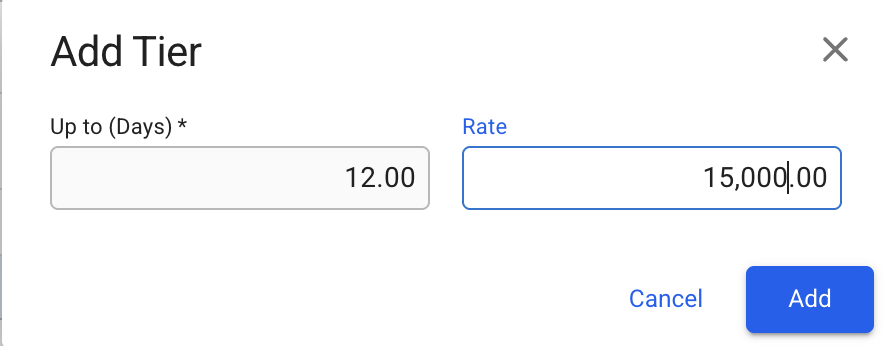
Figure 2.1: Add Tier modal
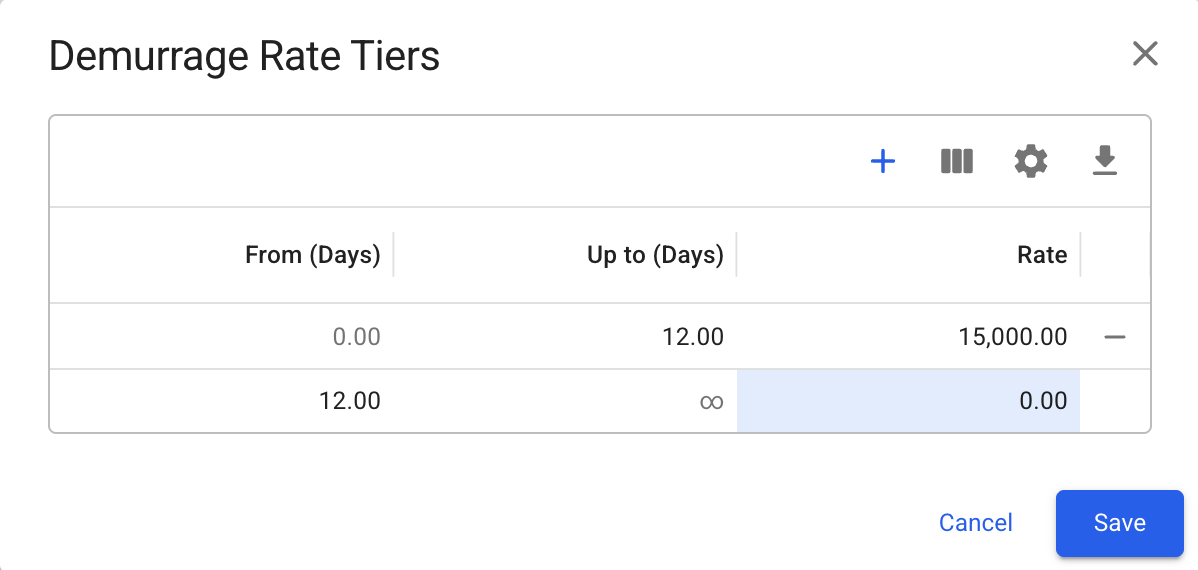
Figure 2.2: Initial tiered demurrage rates after 'Add' button is clicked
 .
{% hint style="info" %}
Edit fields by clicking on them. Navigation within the grid is possible using the arrow keys, and fields can be edited by typing directly
{% endhint %}
{% hint style="info" %}
The system automatically sets the row with the largest **Up to (Days)** value as the final tier and extends its **From (Days)** value to infinity. This is automatically updated whenever the largest **Up to (Days)** value changes.
{% endhint %}
.
{% hint style="info" %}
Edit fields by clicking on them. Navigation within the grid is possible using the arrow keys, and fields can be edited by typing directly
{% endhint %}
{% hint style="info" %}
The system automatically sets the row with the largest **Up to (Days)** value as the final tier and extends its **From (Days)** value to infinity. This is automatically updated whenever the largest **Up to (Days)** value changes.
{% endhint %}
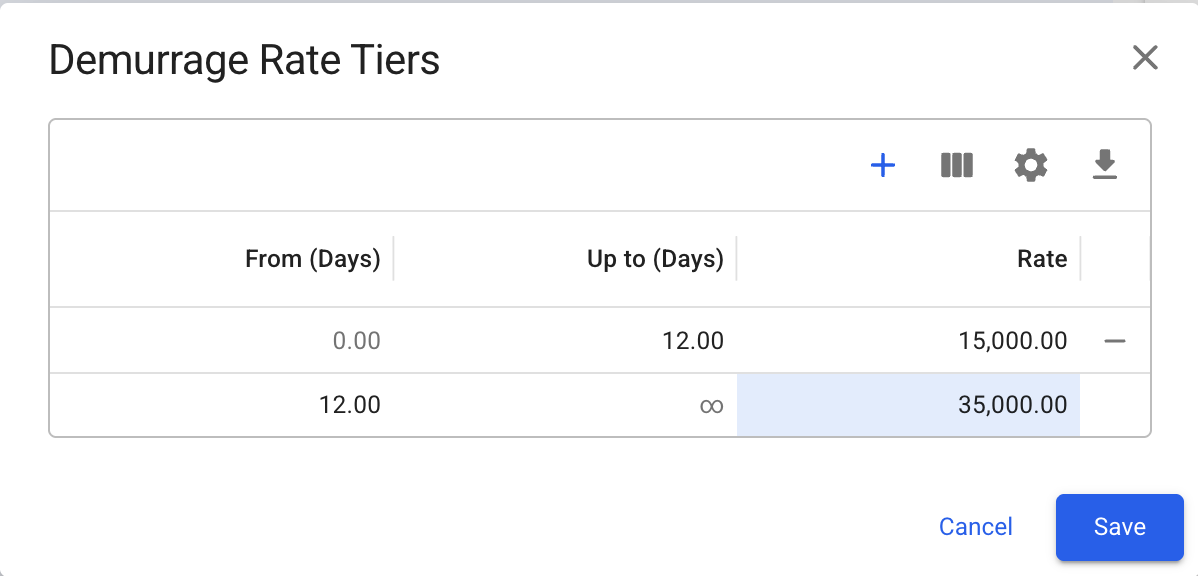
Figure 3.1: Modified the rate of the last row to 35,000
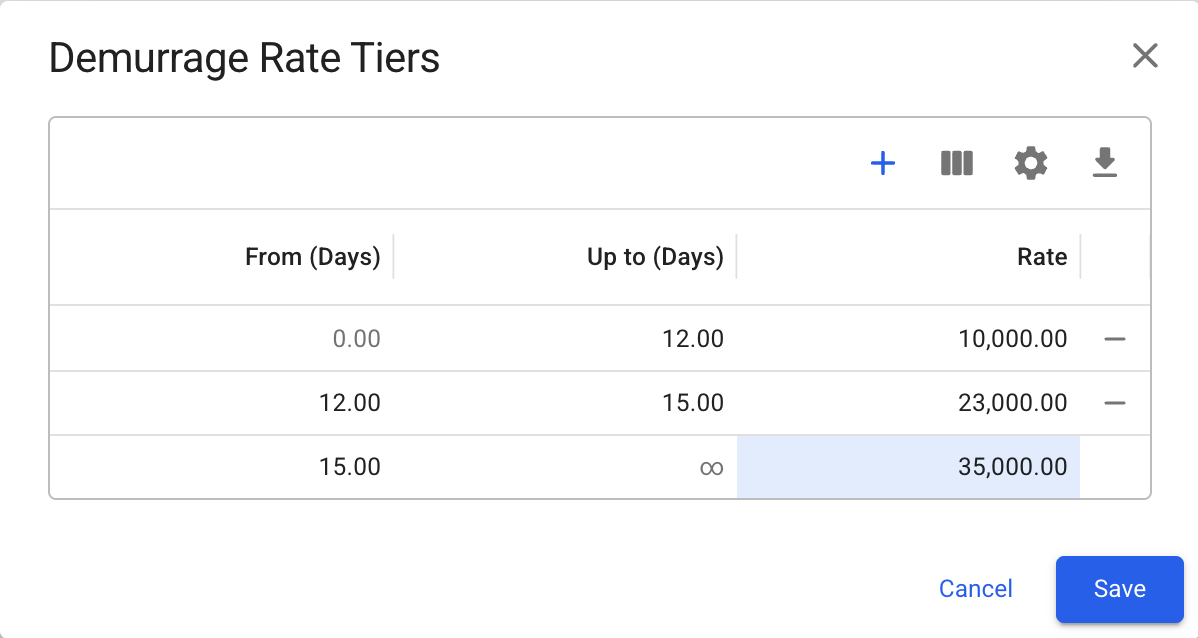
Figure 3.2: Grid state after adding an additional row, illustrating how the last row’s From Days value is automatically updated when a new maximum Up to (Days) value is defined
 to finalize the tiered rates.
Figure 4: Demurrage/Despatch Rate fields with set tiered rates
 will open the Demurrage/Despatch Rate Tiers modal displaying the existing tiered rates. Here you can add, edit, or delete individual tiers. You may also **remove** **all** the tiered rates by clicking
  button and confirming the action.
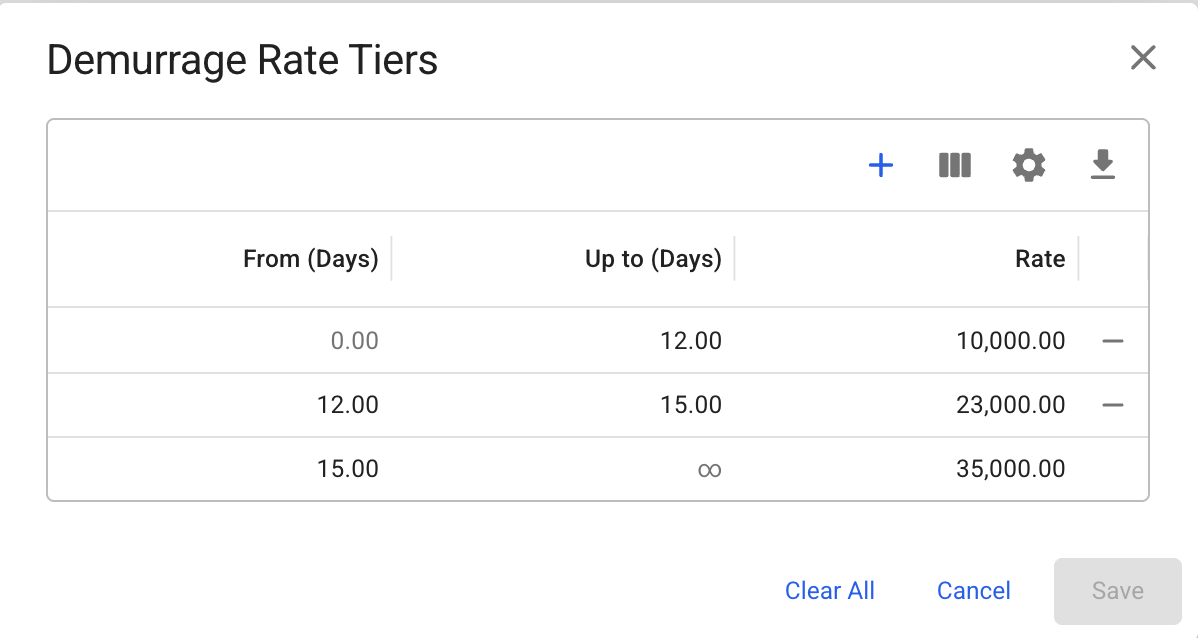
Figure 5: Existing demurrage tiered rates