> For the complete documentation index, see [llms.txt](https://docs.dataloy.com/llms.txt). Markdown versions of documentation pages are available by appending `.md` to page URLs; this page is available as [Markdown](https://docs.dataloy.com/voyage-management-system/step-by-step-guides/master-data/speed-categories.md).
# Speed Categories
Manage custom speed categories for consistent speed selection and labelling.
Speed categories are organisation-scoped custom tags used to categorise different speed and consumption profiles across vessels, TC contracts, and voyages. They are configured and maintained by your organisation.
Speed categories provide a consistent way to label and distinguish operational modes (for example, Eco, Weather Margin, or Full), making it easier to select and compare speeds across different contexts and sources. They can be assigned when creating or modifying a speed.
Speed categories are used for classification and selection only and do not affect calculation logic.
### **Business value**
* Reduces errors when selecting speeds by allowing users to quickly identify categories without comparing numerical values
* Speeds up the voyage estimation workflow, especially for vessels with multiple speed profiles
* Ensures consistent speed labelling across the organisation through standardised categories
* Improves clarity when speeds from multiple sources (vessel, TC, voyage) are presented together
### Speed category fields
Each speed category includes:
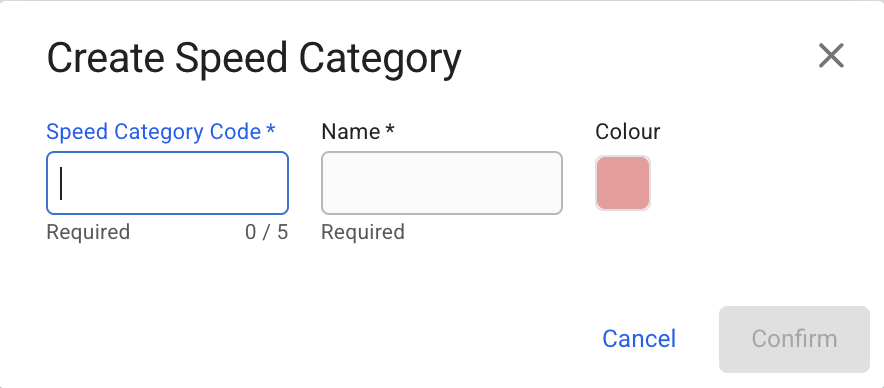
* **Speed Category Code** - mandatory, unique identifier (max. 5 characters)
* **Speed Category Name** - mandatory free text
* **Colour**
The **Speed Category Code** and **Colour** are used to generate the visual tag displayed across the system, helping users quickly identify speed categories in the selectors. See examples of how this appears in [speed selectors](/voyage-management-system/step-by-step-guides/voyages/maintain-voyages/overview/vessel.md#speed-and-consumption) and during [speed creation](/voyage-management-system/step-by-step-guides/vessels/vessel-speed-and-consumption-data.md#ballast-and-laden-passage-speed).
A generated tag
### **Manage speed categories**
Users can create, view, update, and delete speed categories.
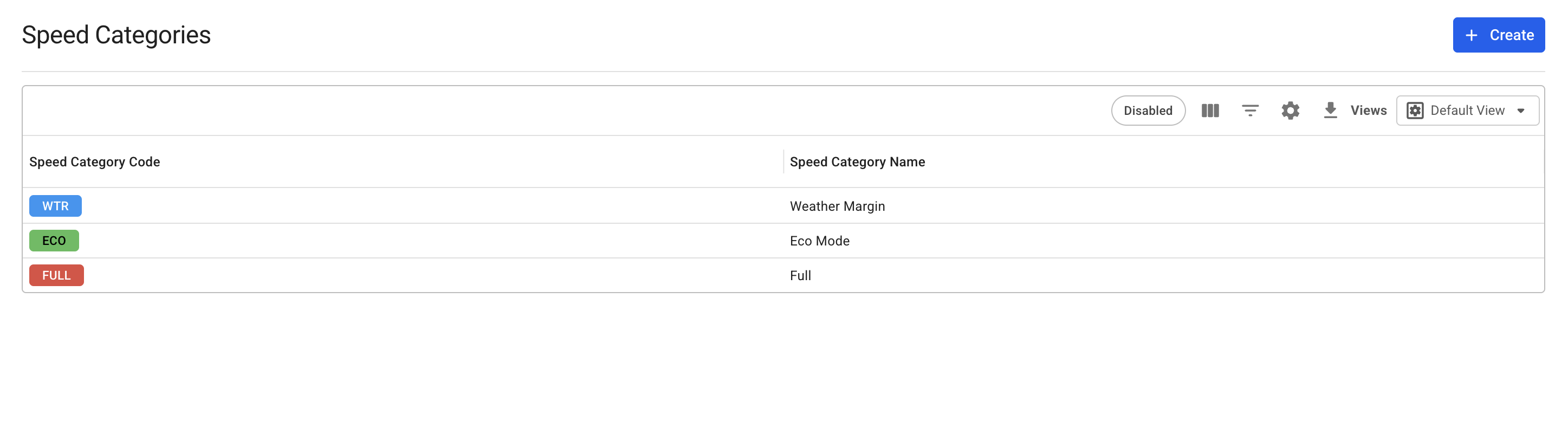
The page displays all speed categories defined for your organisation, including how their visual tags appear.
(Figure 1) Speed Categories module
To create a new speed category, use the *Create Speed Category* modal:
(Figure 2) Create Speed Category modal
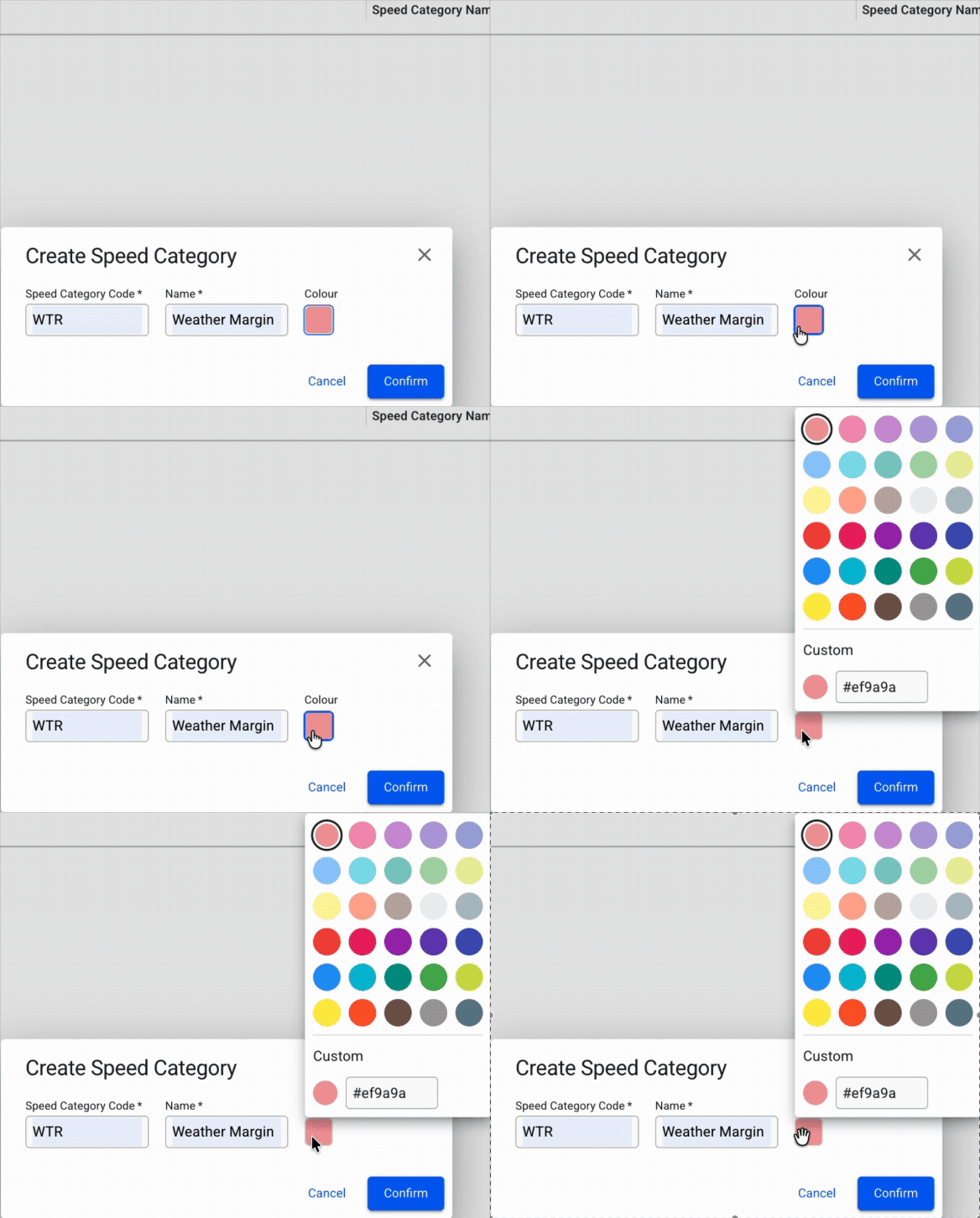
Select a colour
You can select or update the colour when creating or editing a speed category.
* Click the ***Colour*** field to open the colour picker and select a colour from the palette.
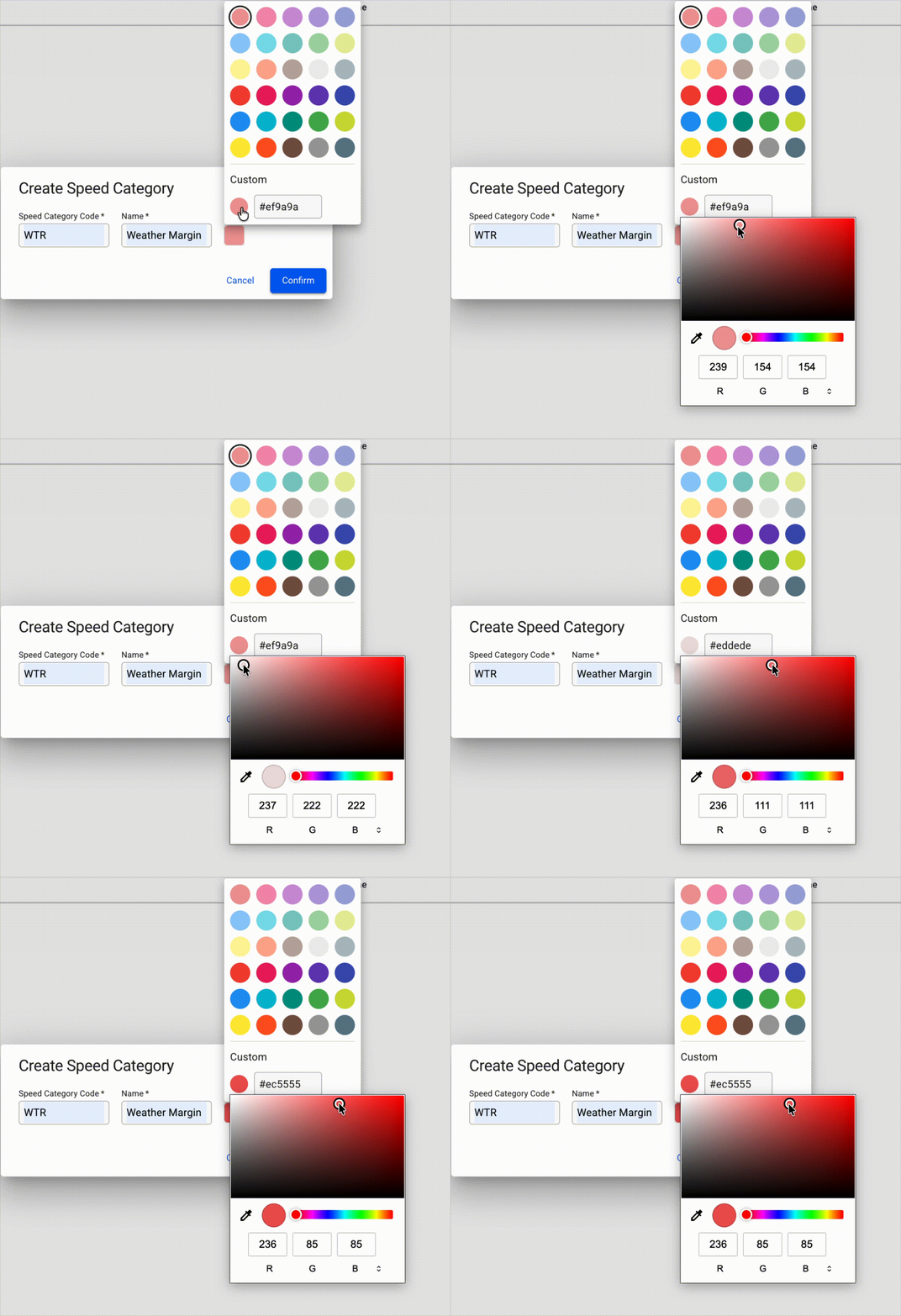
* Alternatively, define a custom colour using the selector or RGB/hex values.
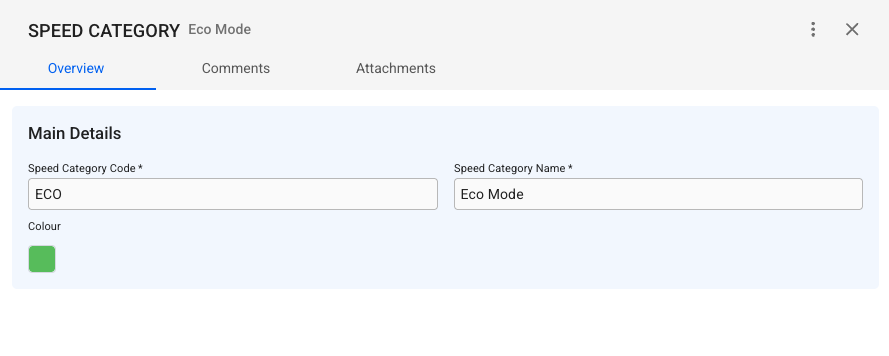
To view or edit a speed category, select it from the list. When opened, it can also be disabled or deleted from the options menu (three dots icon) in the drawer (see Figure 3).
A speed category must be disabled before it can be deleted.
(Figure 3) Speed Category drawer
---
# Agent Instructions
This documentation is published with GitBook. GitBook is the documentation platform designed so that both humans and AI agents can read, navigate, and reason over technical content effectively. Learn more at gitbook.com.
## Querying This Documentation
If you need additional information that is not directly available in this page, you can query the documentation by asking a question.
Perform an HTTP GET request on the following URL with the `ask` and `goal` query parameters:
```
GET https://docs.dataloy.com/voyage-management-system/step-by-step-guides/master-data/speed-categories.md?ask=&goal=
```
`ask` is the immediate question: it should be specific, self-contained, and written in natural language.
`goal` is what the user is ultimately trying to achieve, the reason they need the answer. Sharing it helps GitBook give you a better, more relevant answer. A goal is most helpful when it describes the outcome the user wants rather than restating the question. For example, with `ask=how do I create an API token`, a goal like `automate deployments from our CI pipeline` lets GitBook tailor the answer to that use case.
The response will contain a direct answer to the question and relevant excerpts and sources from the documentation.
Use this mechanism when the answer is not explicitly present in the current page, you need clarification or additional context, or you want to retrieve related documentation sections.