# Create Voyage From Template

To efficiently create a voyage, and link them with CoAs, you can create voyage based on a [CoA Template Voyages](https://docs.dataloy.com/release-6.36/fleet-allocation-and-scheduling/getting-started/budgets/template-voyages). The CoA Templates Voyage are the *template voyages* that are maintained in the **Budgets** module.

### **Steps:**

1. Open the **Voyages** module from the menu on the left.
2. In the top right corner, click **Create** <img src="https://content.gitbook.com/content/uFUyVeHW8j8HDrRmaOgW/blobs/gBxl0e9cmJj1EBM6fleV/create-24px.svg" alt="" data-size="line">.
3. Select **Create Voyage From Template**.
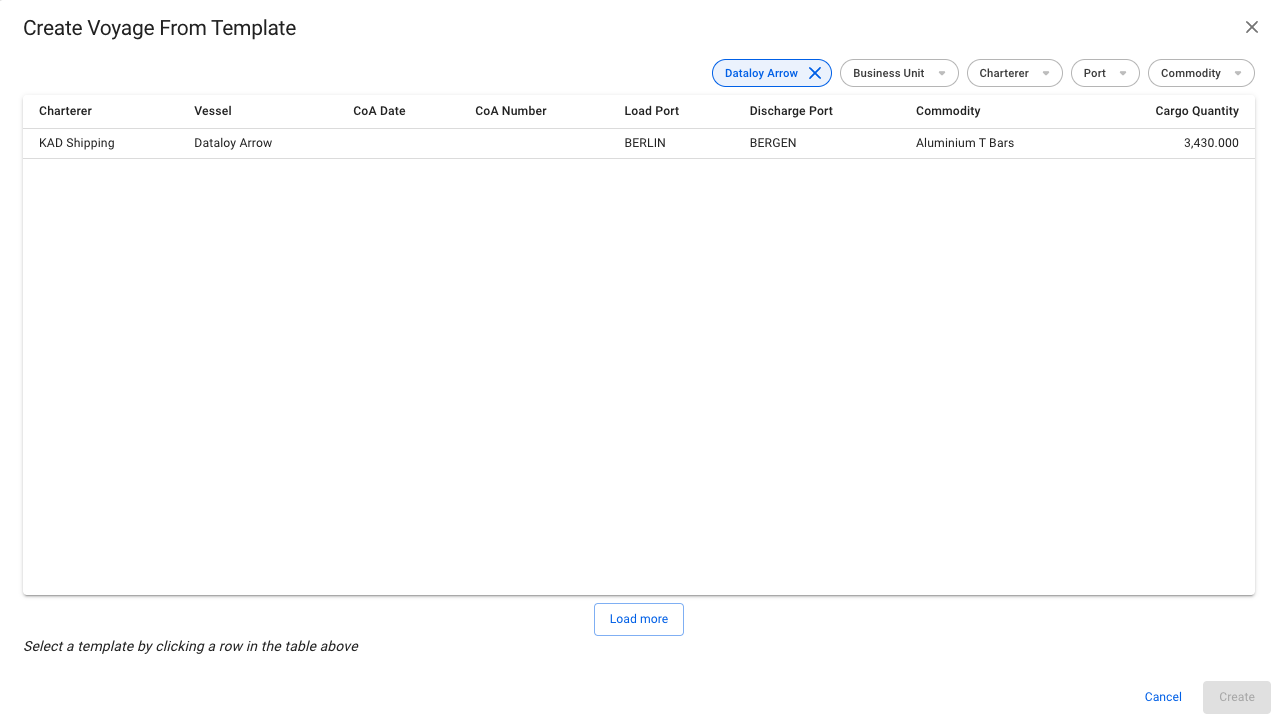
4. In the modal, **select** a CoA template voyage to create the new voyage. The fields that are pre-filled are the ones that were filled in when creating the CoA template itself, which the new voyage will inherit.&#x20;
5. Click **Create**.

### The modal:

<figure><img src="https://content.gitbook.com/content/uFUyVeHW8j8HDrRmaOgW/blobs/zzp4A2qihKEEbnUmRfgI/Screenshot%202023-07-14%20at%2013.53.07.png" alt=""><figcaption><p>Modal for Creating a Voyage from a CoA Template</p></figcaption></figure>

### Feature:

* The modal is now *draggable*, making it easier to see the information "behind" the modal. Hover over the title or the top of the modal to activate it.&#x20;
* Looks and works quite similar to [create-cargoes-from-templates](https://docs.dataloy.com/release-6.36/voyage-management-system/step-by-step-guides/cargoes/create-cargoes/create-cargoes-from-templates "mention").
