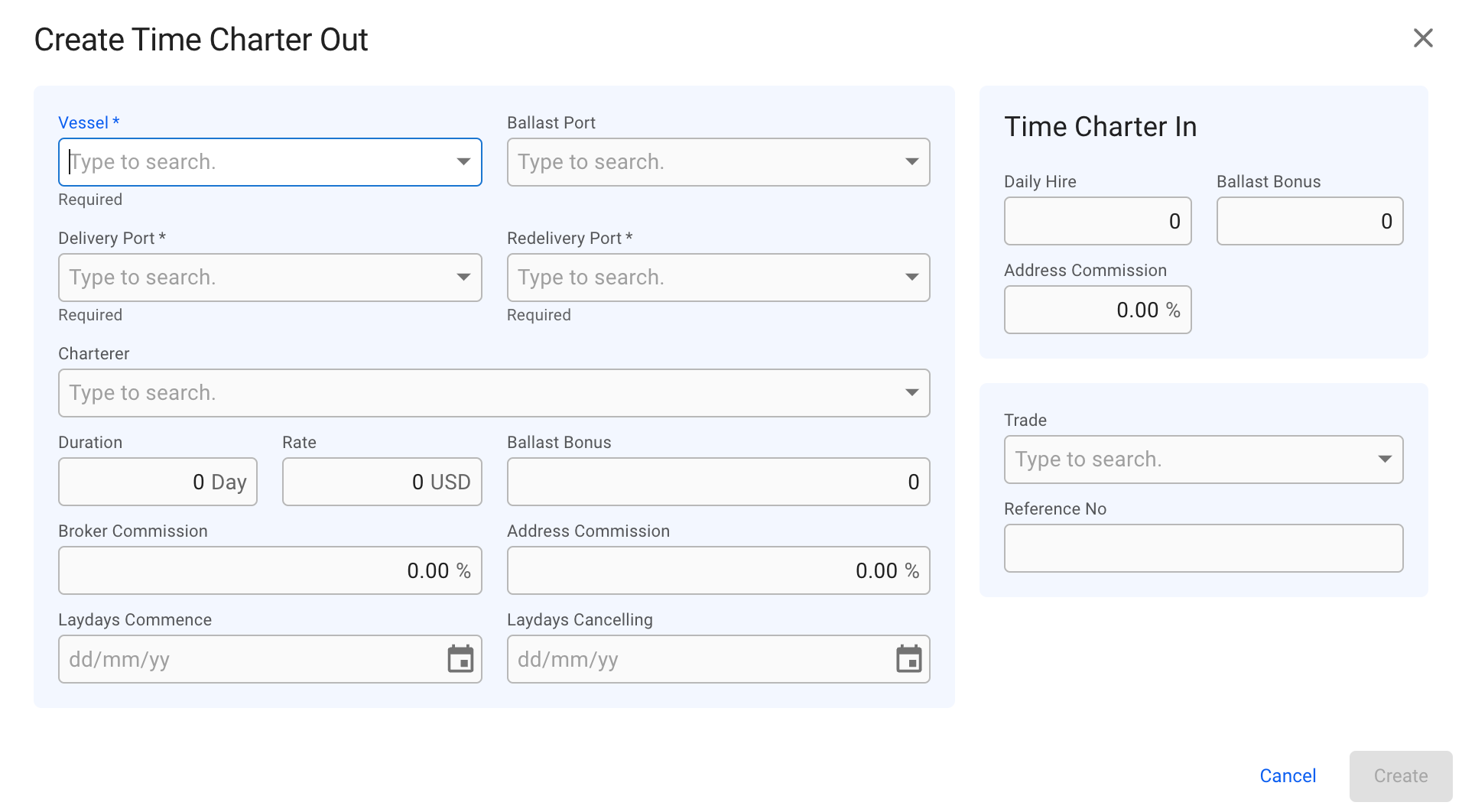
Create Time Charterer Out modal
 icon.
3. Select **Create Time Charter Out**.
4. In the modal, you can **fill in** the required fields and **add** any additional information about the new TC voyage.
5. After you have filled in, you can click **Create**.
#### **Required fields:**
* Vessel
* Delivery Port
* Redelivery Port
### The modal:
icon.
3. Select **Create Time Charter Out**.
4. In the modal, you can **fill in** the required fields and **add** any additional information about the new TC voyage.
5. After you have filled in, you can click **Create**.
#### **Required fields:**
* Vessel
* Delivery Port
* Redelivery Port
### The modal:
Create Time Charterer Out modal