
Open Vessels & Cargoes
What counts as an "open" vessel
A vessel's open position is the last port call of its previous voyage, with the port call's departure date as the open date. In this current version, each vessel can only have one open position at a time.
An open position is created when:
A new vessel is added to the fleet
A TC In contract is created for a vessel with no existing voyages or open positions (opens at the contract's delivery port/date)
Ballast voyage is created with orders
In this case the open position will be derived from the previous discharge port
e.g. previous discharge Shanghai, TBN bunker Singapore, TBN for-orders Santos → open position = Shanghai
Whether a ballast voyage is included in the open position logic is controlled in the General tab in System setting.

Vessel Open Positions column
Each card shows: vessel name, open port, business unit, DWT, draft, and open date. Cards are sorted by earliest open date first.
Vessel filters: DWT, Business Unit, open position port/date, Trade or Area (load and discharge).
Once you apply your filters, the system will remember your set up as long as your memory or cache is not cleared.
When does a vessel's position "close"
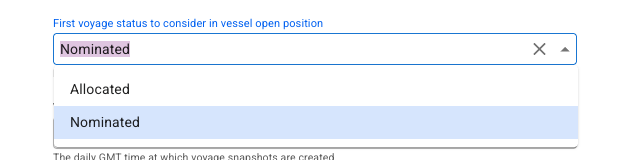
An open position is closed (and the vessel drops off the list and map) when the vessel is nominated or allocated, onto a voyage.
Whether Nominated or Allocated is the minimum qualifying status, is controlled in the General tab in System Settings.
What counts as an "open" cargo
Three types of cargoes are included in the coverage;
Spot cargoes:
Cargo is unallocated with a Clean Fix status
CoA Cargoes (from a template):
Cargo created in the Cargo module from a CoA template, with Clean Fix status and not attached to a voyage.
CoA Cargoes (from a scheduled voyage):
Cargo generated from the Scheduled Voyages tab in the CoA module, with Clean Fix status and a voyage that is not nominated or allocated.
Open Cargoes column
Each card shows: load port → discharge port, commodity and quantity, counterpart and rate, and laycan date. Cards are sorted by earliest open date first.
Quick actions: each column has its own search bar. Hovering a card reveals a + icon (start a new voyage) and an expand icon (open the full drawer).
Cargo filters: Business Unit, laycan date, Trade or Area (load and discharge), Commodity, cargo type.
Once you apply your filters, the system will remember your set up as long as your memory or cache is not cleared.
When does a cargo's position "close"
An open cargo is closed (and the cargo drops off the list and map) when the voyage it is linked to, is nominated or allocated.
Was this helpful?