
Assembling Invoices
Edit and assemble invoice lines into an invoice
Editing invoice lines
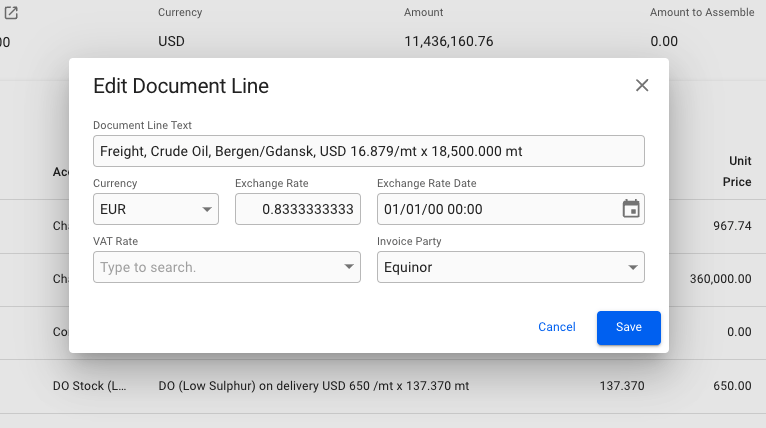
By clicking on a line item a small modal will be brought up, allowing you to edit the Document Line Text, Currency, VAT Rate and Invoice Party. Changing the currency will automatically fetch the latest exchange rate, and set it for the document line.
Assembling the invoice
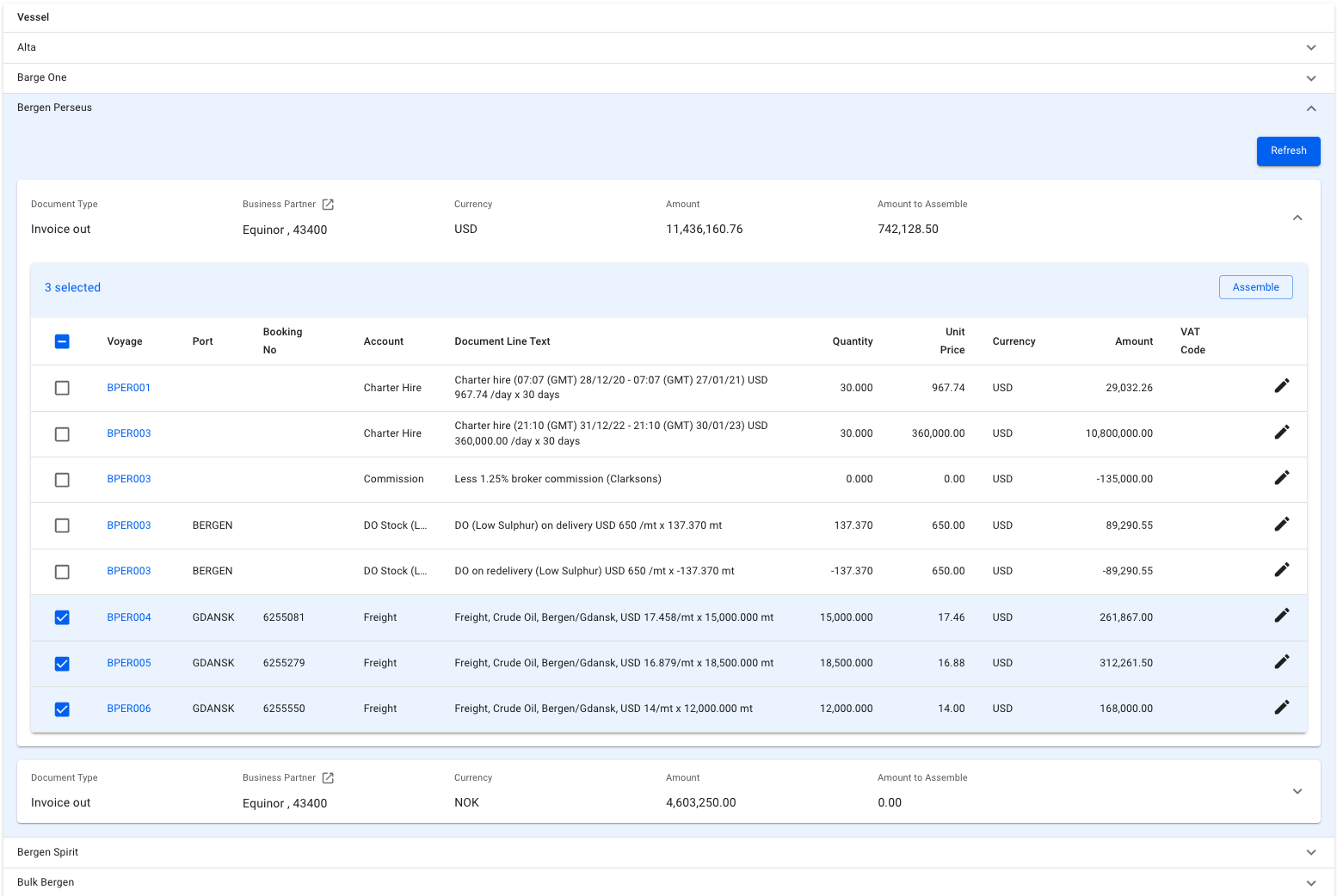
Select the document lines you want and click the Assemble-button.
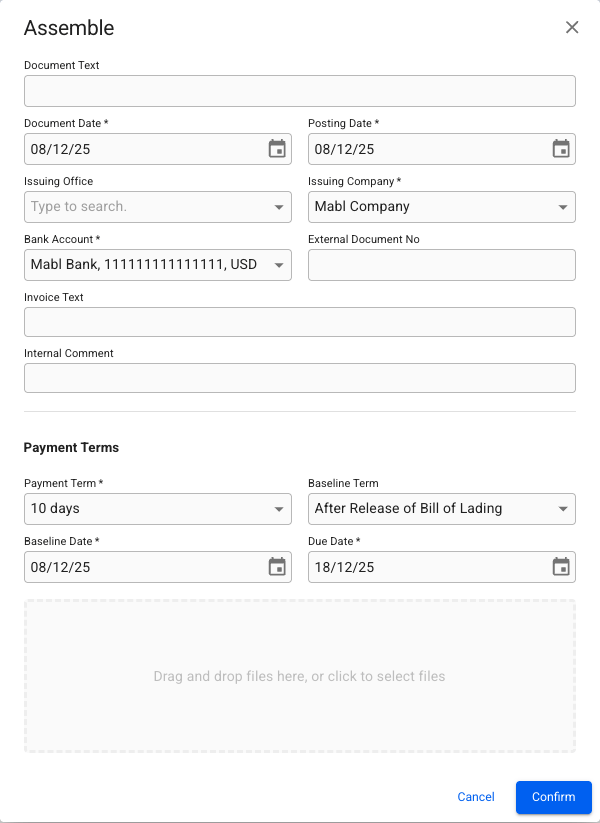
An assemble modal will open and some of the fields will be pre-filled. Make sure all mandatory fields (marked with *) are entered. At this stage, you may change the posting date of the invoice. If you choose a date earlier than the previous accounting month, an additional confirmation is required.
To proceed, click Confirm. The assembled invoice will open in a drawer.
Was this helpful?