> For the complete documentation index, see [llms.txt](https://docs.dataloy.com/llms.txt). Markdown versions of documentation pages are available by appending `.md` to page URLs; this page is available as [Markdown](https://docs.dataloy.com/voyage-management-system/step-by-step-guides/finance/invoices/invoices-list.md).
# Invoices List
Depending on the level of detail you are looking for, you can opt to view at an invoice level or for more information you can opt for a flat view of all line items in the invoice.
### Invoice Level List
This list is showing all invoices with status Assembled, Ready For Posting, and Posted. Numerous filter-options are available, such as accounts receivable/payable, companies, voyages et cetera. All of these filters are persistent across all four tabs, except status and accounts which is only displayed on the Invoices tab.

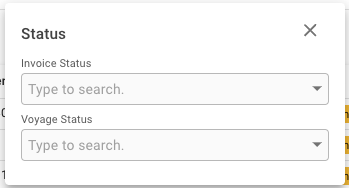
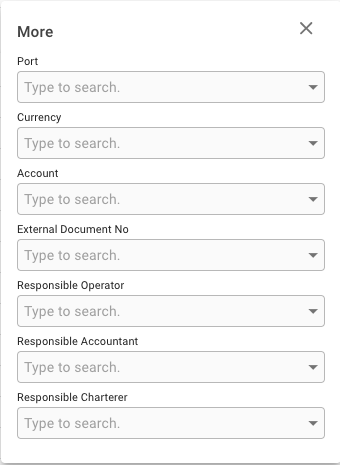
The Status filter allows you to filter on both Voyage and Invoice Status. By clicking on the More-filter, options for Port, Currency, Account, External Document No, Responsible Operator, Responsible Accountant, and Responsible Charterer can be selected.
The quick-filters under 'More'
The search field makes it possible to query for specific invoices based on numerous options. The options include document number, document text, external document number, internal comment, invoice text, business partner name, vessel name, and voyage reference. All of the invoices where one or more of these options include the search string will be shown.
The search field
By clicking the -icon you will see the sorting options available. By default the list is sorted by created date in descending order.

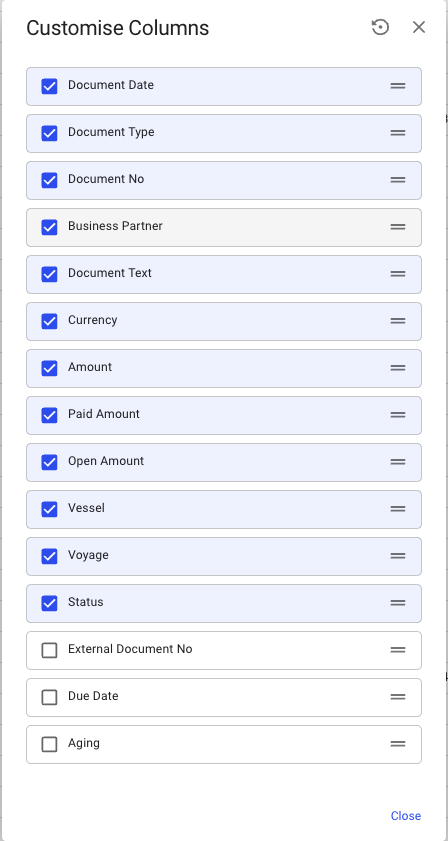
To the right of the Sorting button there is a button  that allows you to [Customise Columns](/voyage-management-system/step-by-step-guides/customising-list-columns.md).
Customisable columns in invoices list
Due to the extensive amount of data being displayed, some columns are hidden by default to prevent visual clutter. If you wish to see the following columns, you can turn them on in the customise columns menu.
* External Document No
* Due Date
* Aging
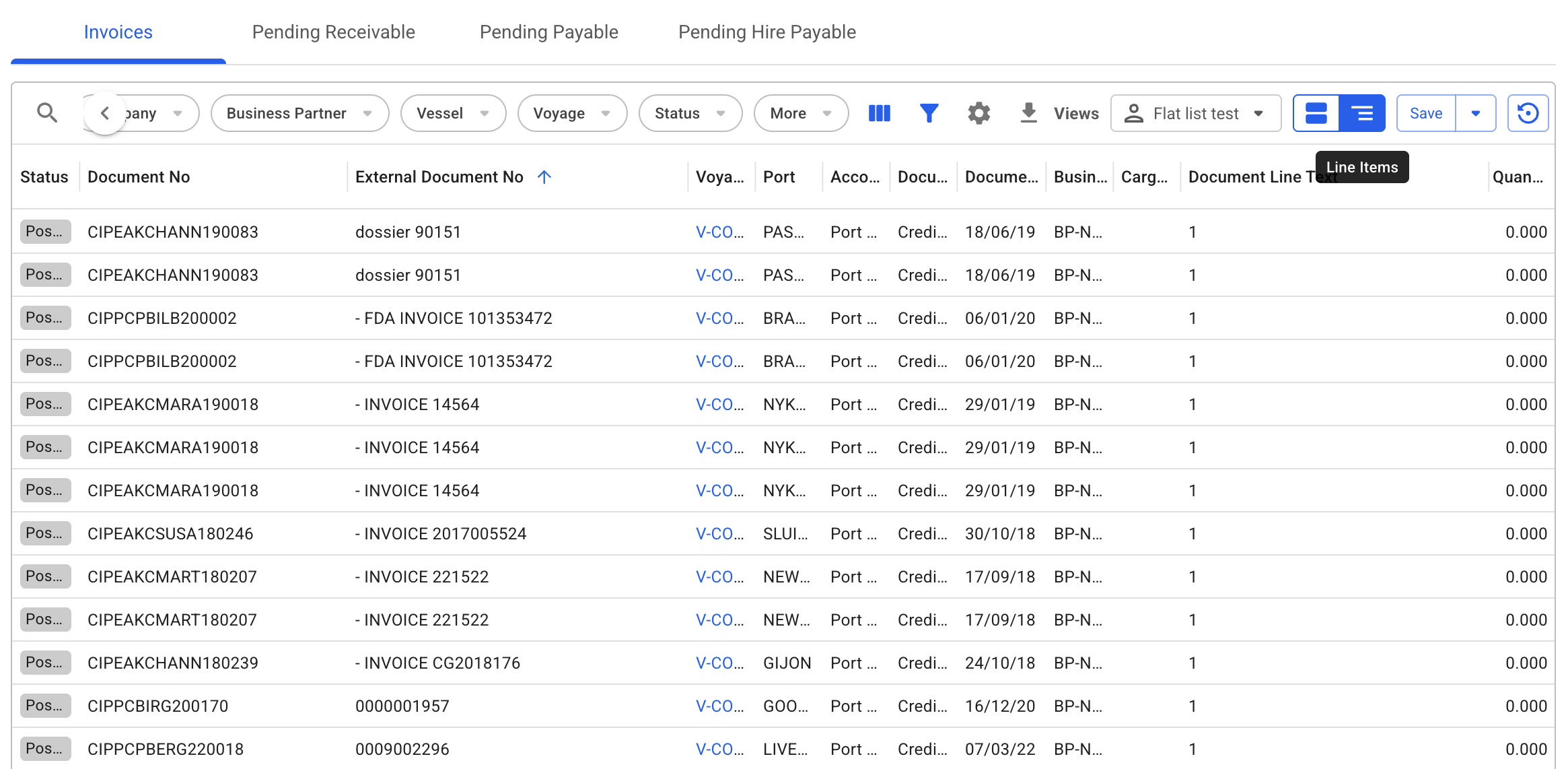
### Line Item List in Invoices
This flat list is geared towards exposing all available line items within each invoice. The value with this view comes when advanced filters are applied down to a finite document line level, and the list of results will now show all matching lines, rather than only showing the 'parent' invoice they came from.
This new tab will also allow users to refine their lists using advanced filters, and saved views specific to this list, separate to the views in the invoice level list.
---
# Agent Instructions
This documentation is published with GitBook. GitBook is the documentation platform designed so that both humans and AI agents can read, navigate, and reason over technical content effectively. Learn more at gitbook.com.
## Querying This Documentation
If you need additional information that is not directly available in this page, you can query the documentation by asking a question.
Perform an HTTP GET request on the following URL with the `ask` and `goal` query parameters:
```
GET https://docs.dataloy.com/voyage-management-system/step-by-step-guides/finance/invoices/invoices-list.md?ask=&goal=
```
`ask` is the immediate question: it should be specific, self-contained, and written in natural language.
`goal` is what the user is ultimately trying to achieve, the reason they need the answer. Sharing it helps GitBook give you a better, more relevant answer. A goal is most helpful when it describes the outcome the user wants rather than restating the question. For example, with `ask=how do I create an API token`, a goal like `automate deployments from our CI pipeline` lets GitBook tailor the answer to that use case.
The response will contain a direct answer to the question and relevant excerpts and sources from the documentation.
Use this mechanism when the answer is not explicitly present in the current page, you need clarification or additional context, or you want to retrieve related documentation sections.