# Pending Invoices

These three tabs lists all unprocessed Voyage Charter and Time Charter invoice proposals, grouped by either voyage or vessel for Receivable and Payable invoices, and contract for Hire Payable invoices.

Clicking on a line will expand it, and display a grouping of unprocessed invoices. The invoices can be expanded to reveal invoice items that can be selected and [assembled](/release-8.25/voyage-management-system/step-by-step-guides/finance/invoices/assemble.md) into a complete invoice.

The **Refresh** button will fetch fresh voyage data from the server for the invoice items in the list. This is useful if you have made changes to the voyage that are not reflected in the unprocessed invoice.

{% hint style="info" %}
Invoices can only be generated and assembled for non-closed voyages with status Nominated or higher.
{% endhint %}

### Receivable and Payable

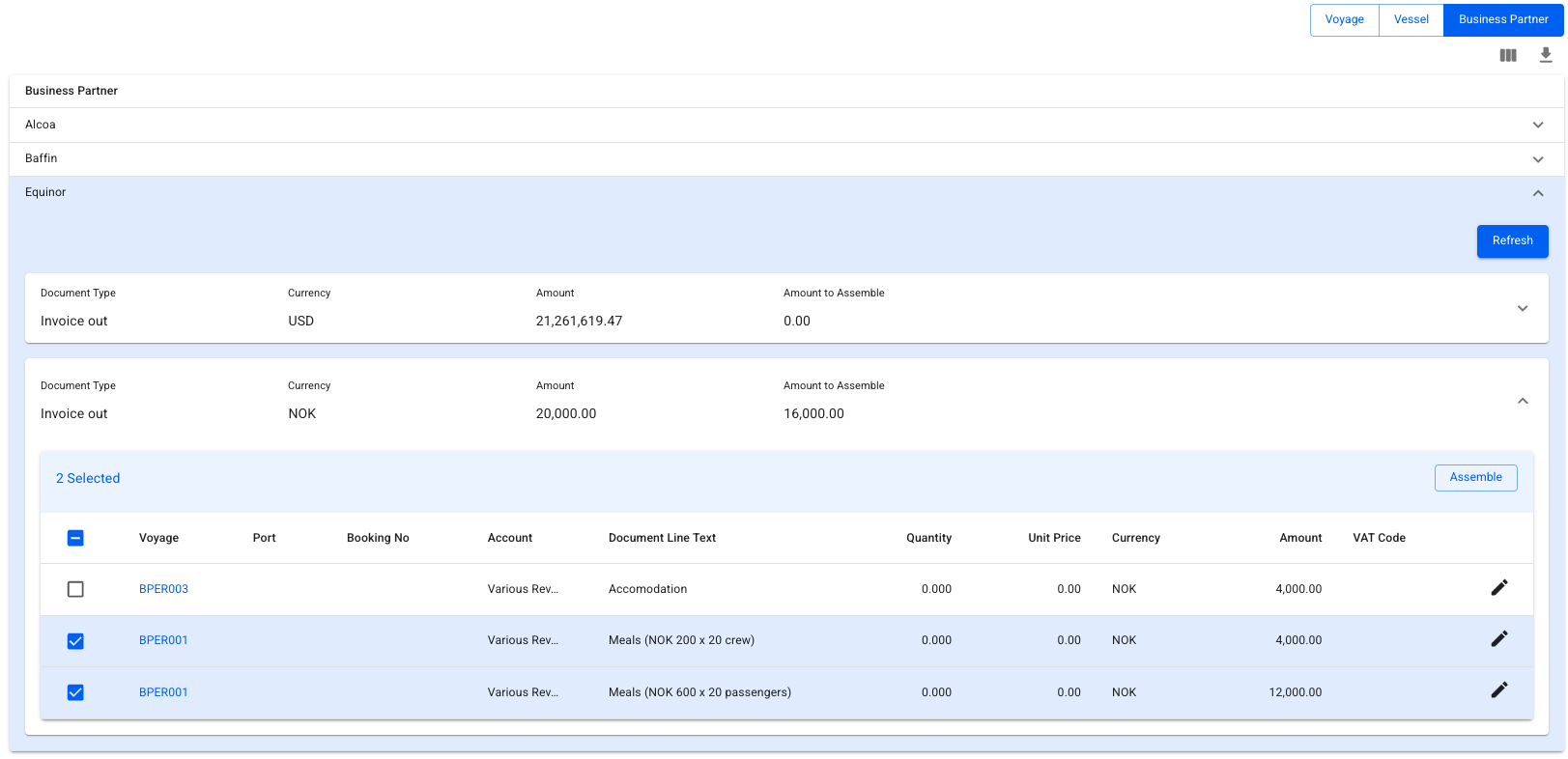
Displays a list of all pending receivable and payable invoice proposals for one or multiple voyage charters. By clicking on the toggle-button underneath the filters, you can switch between a voyage, vessel or business partner view.

<figure><img src="/files/tPtE2myIR1CYoUljDh2w" alt=""><figcaption><p>View set to Business Partner</p></figcaption></figure>

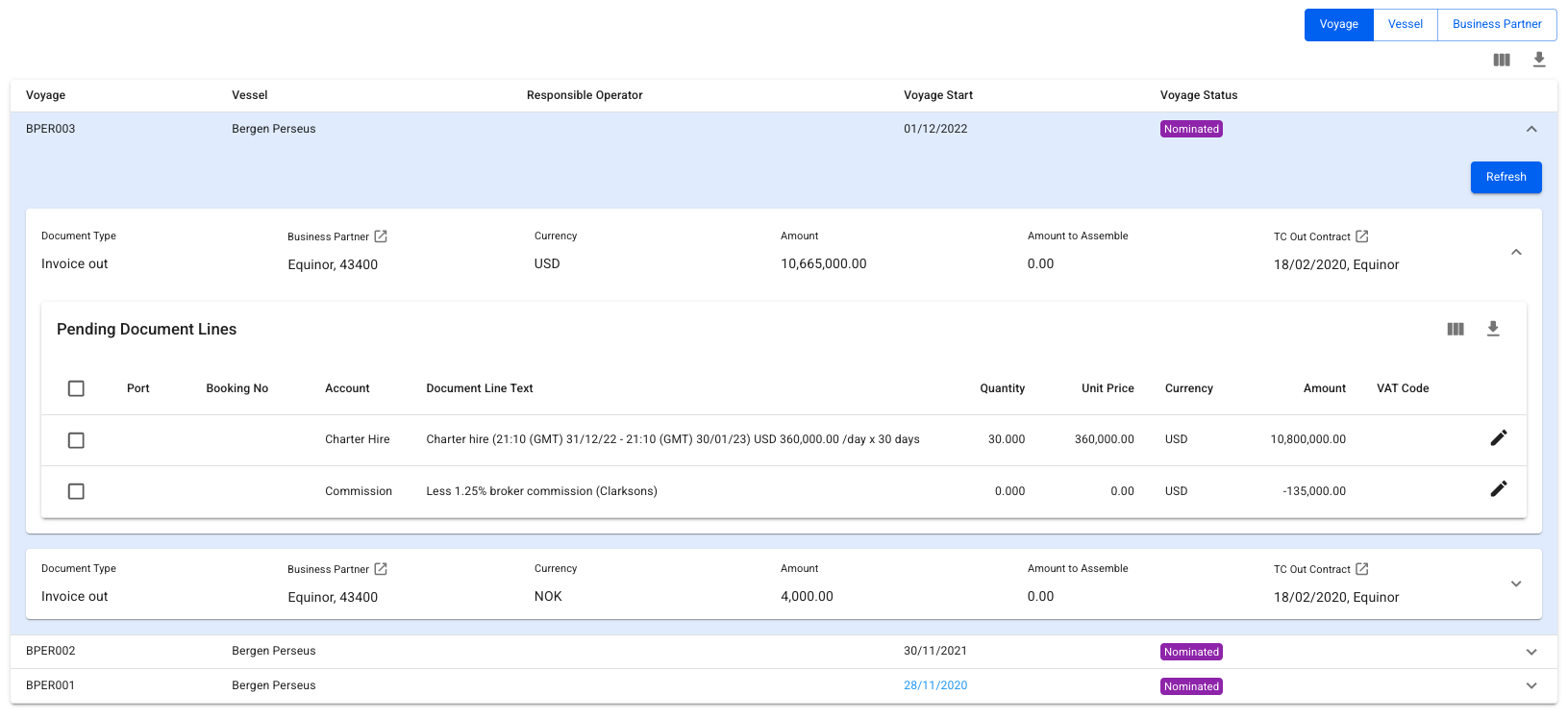
#### View by Voyage

In this view, a list of voyages will be displayed, alongside the vessel, operator, start date and voyage status. Clicking on a line will open up a new grouping of Business Partners and Currency, from which document lines can be selected, edited and assembled into a document.

<figure><img src="/files/iCh1HxQYbhr4ZKn3L1bI" alt=""><figcaption><p>View by Voyage. Assemble invoices for a single voyage only.</p></figcaption></figure>

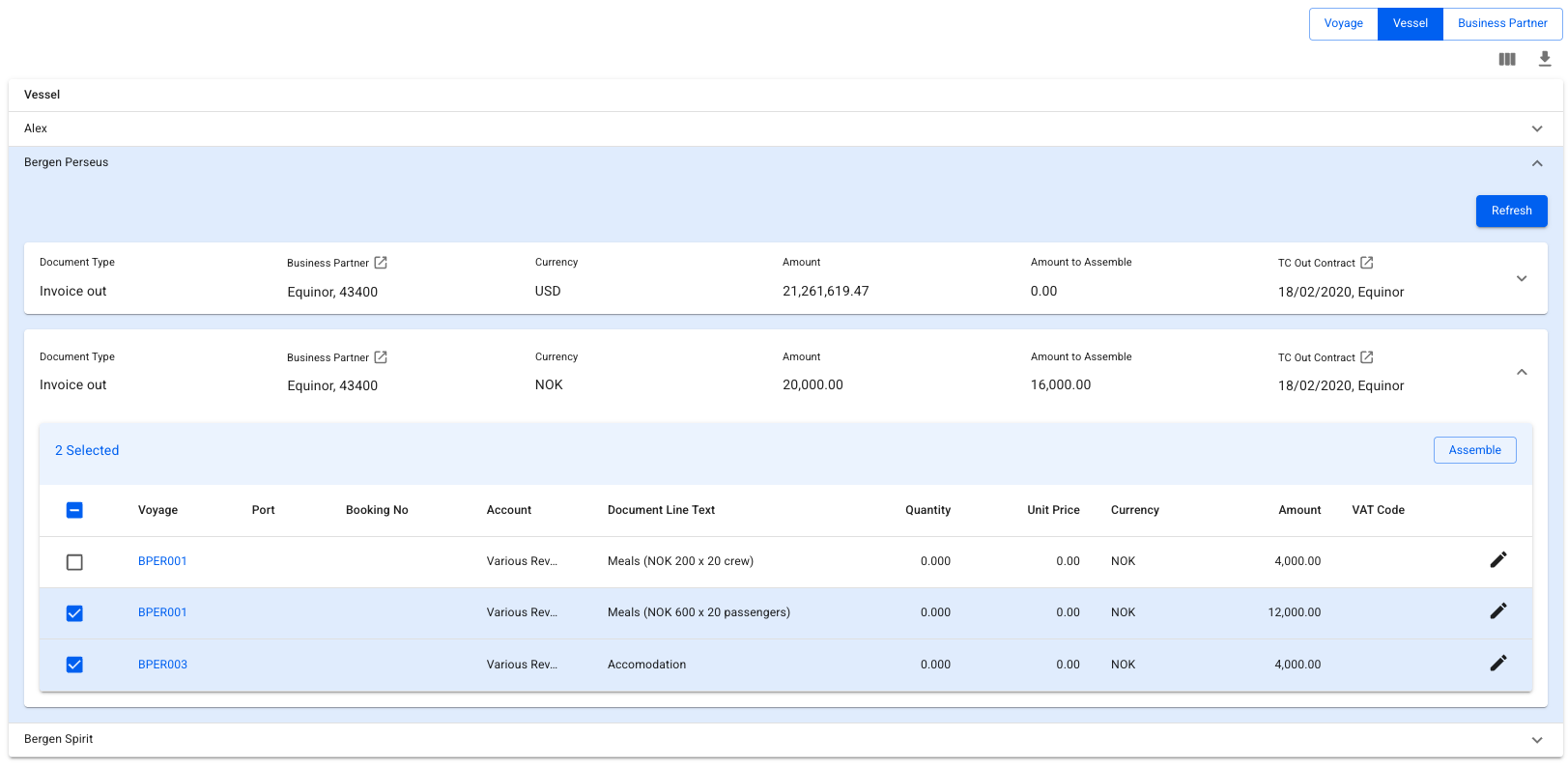
#### View by Vessel

In this view, a list of vessels will be displayed. Clicking on a line will open up a new grouping of Business Partners and Currency. Difference being, we can now see and choose lines from several different voyages, and assemble them all into one invoice.

<figure><img src="/files/56v2QOsgU56W5hF3BsRu" alt=""><figcaption><p>View by Vessel. Invoicing for multiple voyages possible.</p></figcaption></figure>

#### View by Business Partner

This view will display a list of business partners allowing you to efficiently process pending items for one particular business partner. Clicking on one of the business partners will open a section where pending lines are grouped by currency. As with View by Vessel, you can assemble items from several voyages into one invoice.

<figure><img src="/files/xrikZYPfsuNBKetf7bUg" alt=""><figcaption><p>View by Business Partner. Invoicing for multiple voyages possible.</p></figcaption></figure>

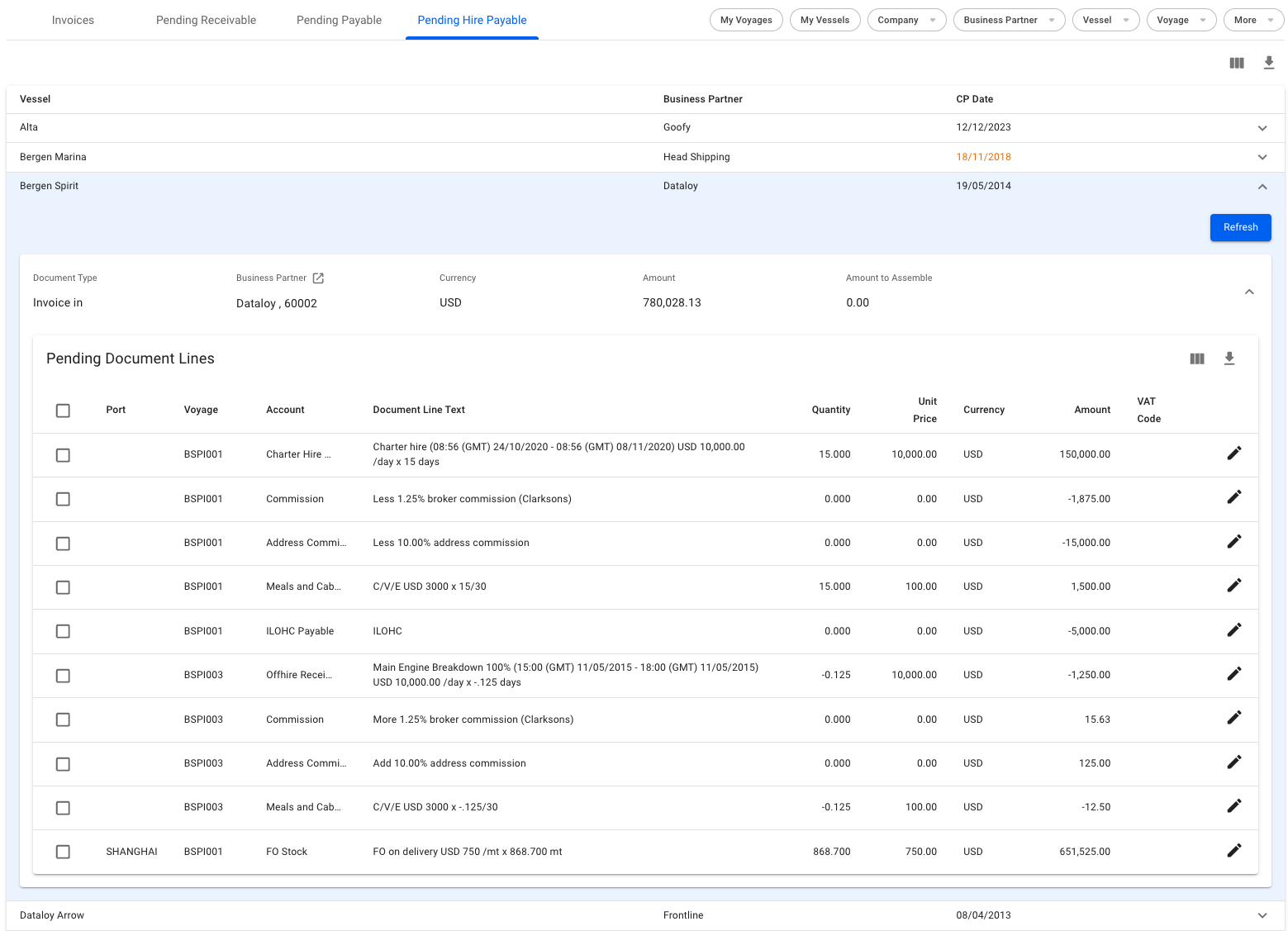
### Hire Payable

Lists all unprocessed Time Charter invoice proposals, grouped by vessel/contract, business partner and currency.

<figure><img src="/files/Ck92SzXhiiZ4OweNhd2g" alt="" width="375"><figcaption><p>Pending Hire Payables</p></figcaption></figure>


---

# Agent Instructions: Querying This Documentation

If you need additional information that is not directly available in this page, you can query the documentation dynamically by asking a question.

Perform an HTTP GET request on the current page URL with the `ask` query parameter:

```
GET https://docs.dataloy.com/release-8.25/voyage-management-system/step-by-step-guides/finance/invoices/pending-receivable.md?ask=<question>
```

The question should be specific, self-contained, and written in natural language.
The response will contain a direct answer to the question and relevant excerpts and sources from the documentation.

Use this mechanism when the answer is not explicitly present in the current page, you need clarification or additional context, or you want to retrieve related documentation sections.