# Create Voyage From Template (CoA)

To efficiently create a voyage, and link them with CoAs, you can create voyage based on a [CoA Template Voyages](https://docs.dataloy.com/release-8.23/voyage-management-system/step-by-step-guides/voyages/create-voyage/broken-reference). The CoA Templates Voyage are the *template voyages* that are maintained in the **Budgets** module.

### **Steps:**

1. Open the **Voyages** module from the menu on the left.
2. In the top right corner, click **Create** <img src="https://content.gitbook.com/content/BOXrRRsrTBcdaVWqOIzi/blobs/eQXKamIENETwcjsXdiDq/create-24px.svg" alt="" data-size="line">.
3. Select **Create Voyage From Template**.
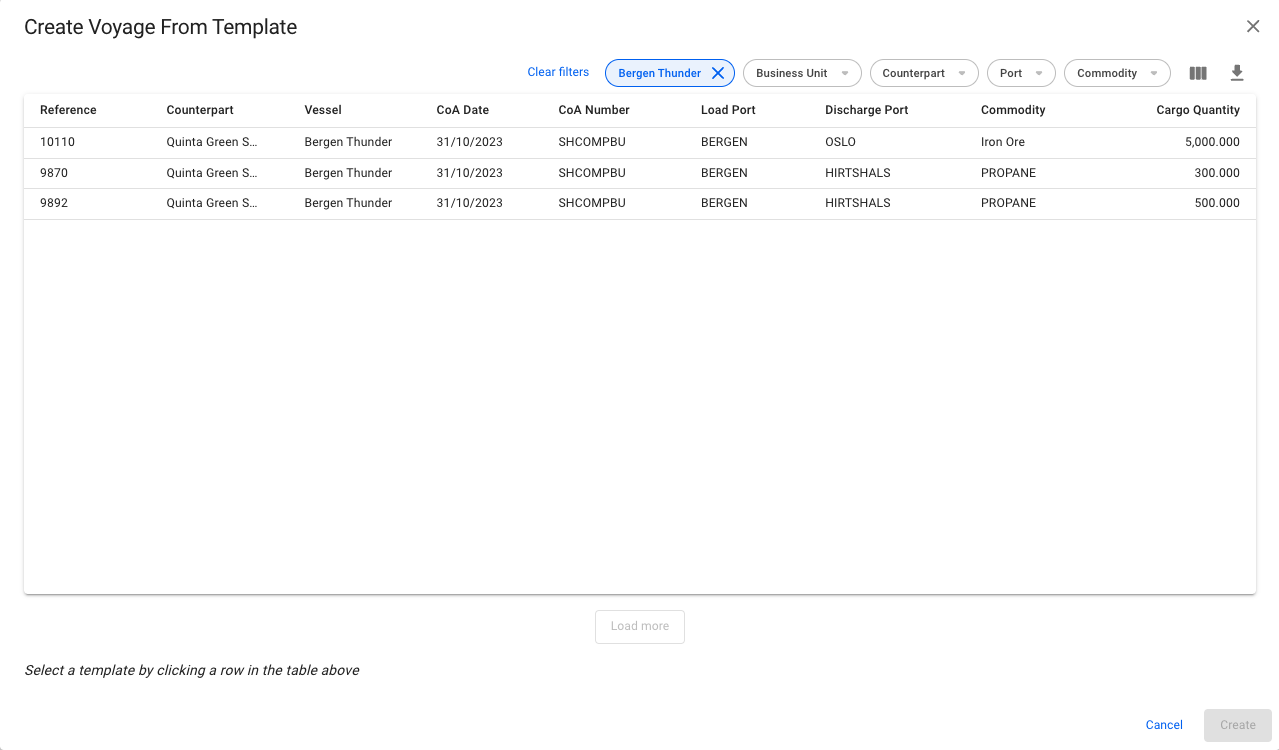
4. In the modal, you can apply various filters to narrow down the selection. Clicking a CoA template voyage selects it. The new voyage will inherit the values from the template displayed in the modal, as well as the Company and Business Unit of the template.&#x20;
5. Click **Create**.

<figure><img src="https://content.gitbook.com/content/BOXrRRsrTBcdaVWqOIzi/blobs/FRtvlXjcHzMxBwgKLsp2/Skjermbilde%202024-08-06%20kl.%2013.25.23.png" alt=""><figcaption><p>Modal for Creating a Voyage from a CoA Template</p></figcaption></figure>

{% hint style="info" %}
Read more about creating [Template Voyages](https://docs.dataloy.com/release-8.23/voyage-management-system/step-by-step-guides/voyages/create-voyage/broken-reference) & [Convert Voyage to Template](https://docs.dataloy.com/release-8.23/voyage-management-system/step-by-step-guides/voyages/maintain-voyages/voyage-secondary-actions/converting-voyage-to-template)!&#x20;
{% endhint %}
