# Various Rule: "Fixed Quantity"
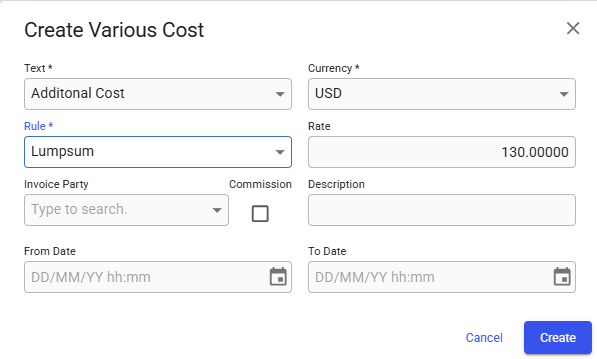
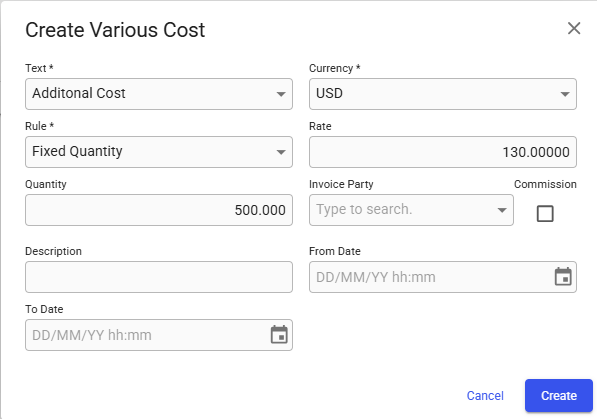
Starting with release 8.6, a new rule named "**Fixed Quantity"** is now available for various cost/revenue items. When selected, a new "**Quantity"** field appears, allowing you to enter any ***positive*** quantity.
{% tabs %}
{% tab title="Selected rule: Lumpsum" %}
{% endtab %}
{% endtabs %}
The amount is calculated using:
$$
Amount = Quantity \times Rate
$$
If you need to record a ***negative*** amount, simply use a ***negative*** rate**.**
For example:
$$
Quantity = 500.0\Rate=-2.5\Total\space Amount =-1250.0
$$
### Updates to the Various Cost/Revenue Tab and Full-Screen Drawer
An additional **Quantity** column has been introduced to both the **Various Cost/Revenue** tab and the full-screen **Voyage Drawer**. See the figures below.
{% tabs %}
{% tab title="Various Cost/Revenue Tab" %}
Figure 3: Voyage Various Cost/Revenue Tab
{% endtab %}
{% tab title="Full-Screen View" %}
Figure 4: Voyage Full-Screen Various Grid
{% endtab %}
{% endtabs %}
### Important Notes About the "Quantity" field:
* **When “Fixed Quantity” is selected**: The quantity is based on what you enter, and is used to calculate the various amount.
* **When any other rule is selected**: The quantity is determined by the chosen rule, and the value is ***not*** used for the calculation of the amount.
### Renamed Rules: "Percentage" & "Rate Based"
* ***"Percentage"*** is now called ***"Percentage on Freight"***.
* ***"Rate Based"*** is now called "***Cargo Quantity Based"***.