# Various Cost/Revenue
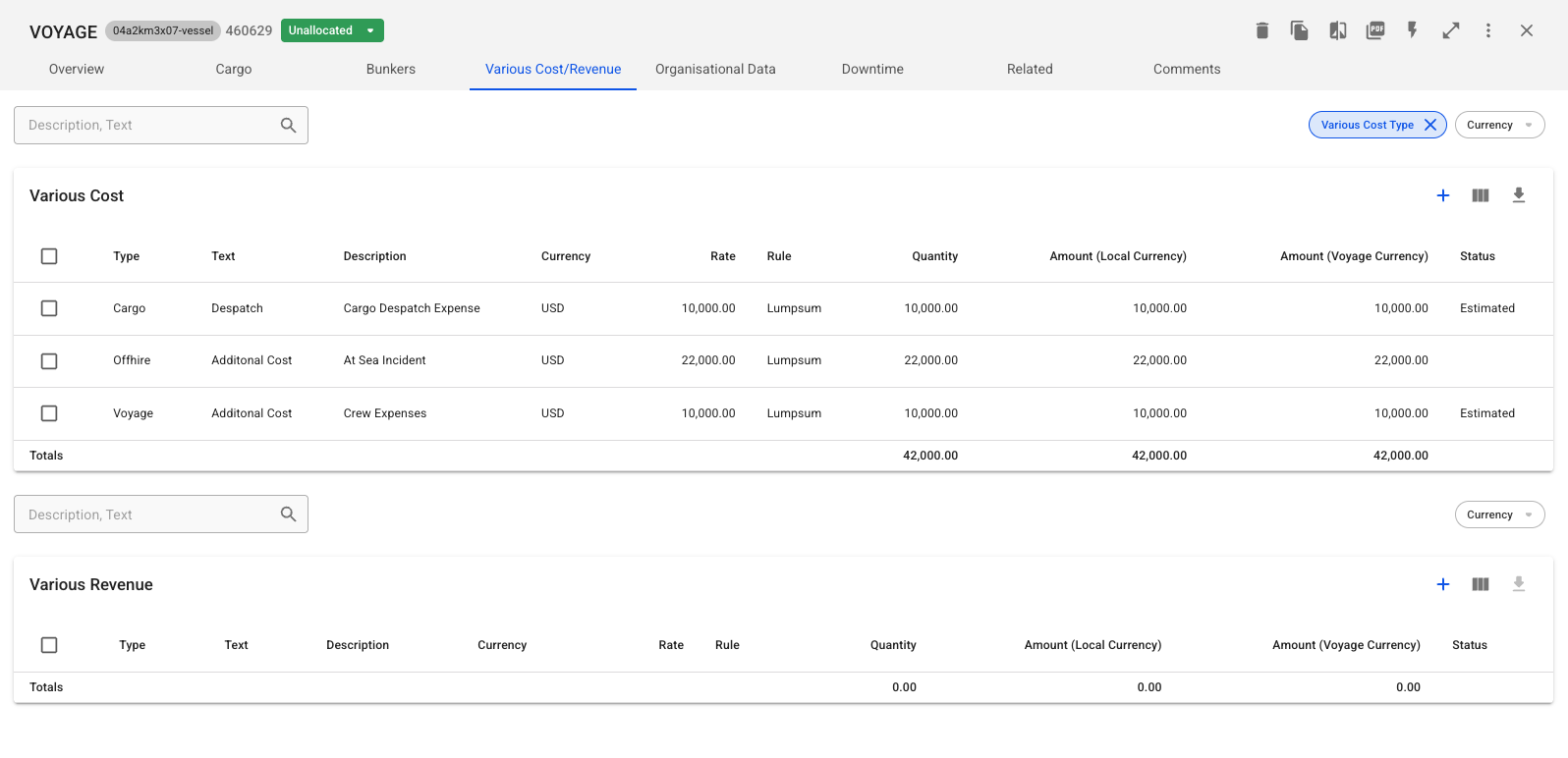
The **Various Cost/Revenue** feature allows you to manage cost and revenue entries associated with a voyage, including those linked to [**Cargoes** ](https://docs.dataloy.com/release-8.16/voyage-management-system/step-by-step-guides/cargoes/maintain-cargoes/cargo-drawer/various-cost-revenue)and [**Offhires**.](https://docs.dataloy.com/release-8.16/voyage-management-system/step-by-step-guides/operations/offhire/maintain-offhire/various-cost-revenue) These entries can be accessed and modified from the **Various Cost/Revenue tab** in the voyage drawer.
Figure 1. Various Cost/Revenue
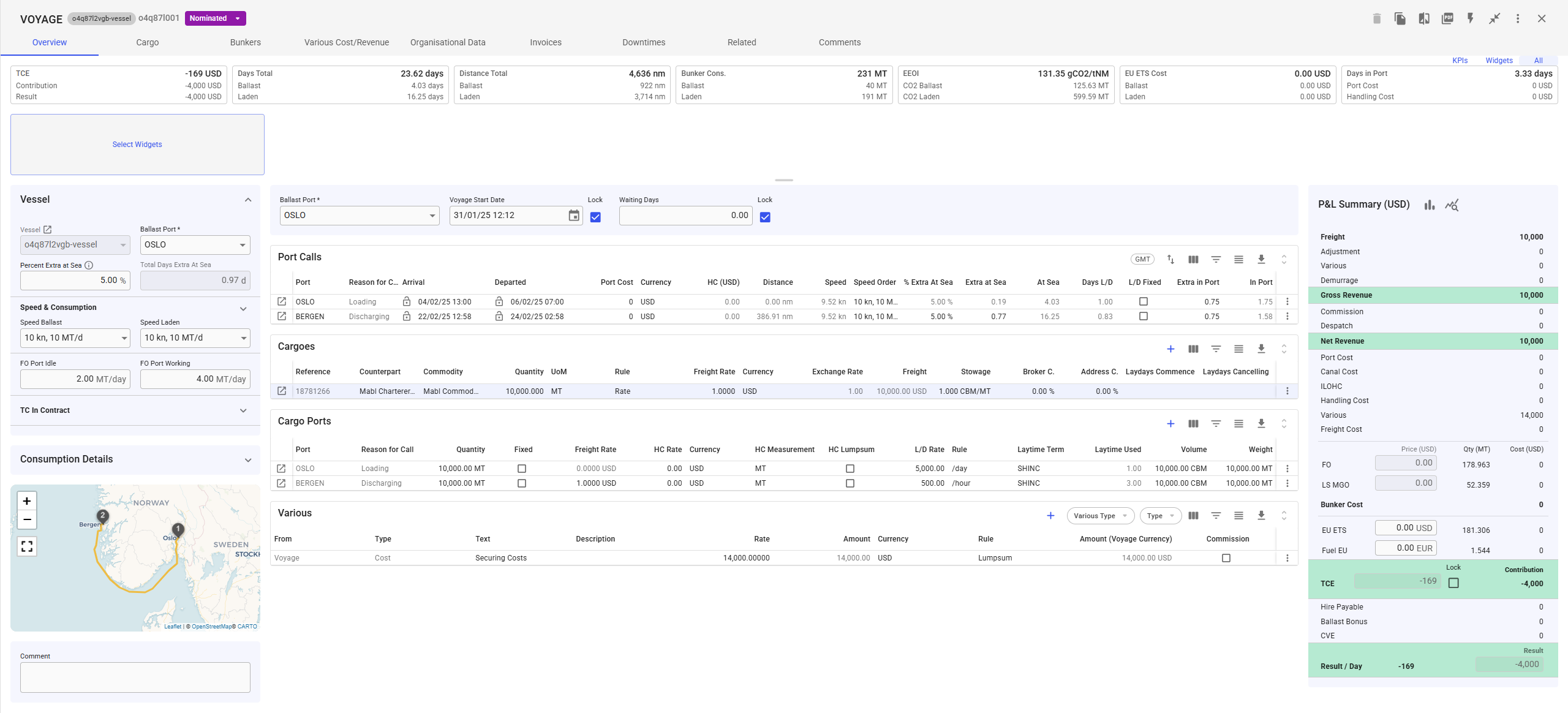
You can also use the **Various Grid** in the **full-screen view** of the voyage drawer to get an overview over all connected variouses. Here, you can:
* **View** all Various Cost/Revenue entries related to the voyage.
* **Create** new entries directly within the grid including various for **Port Call** and **Cargo**.
* **Modify** existing entries by adjusting details as needed.
* **Delete** entries that are no longer relevant.