# Related
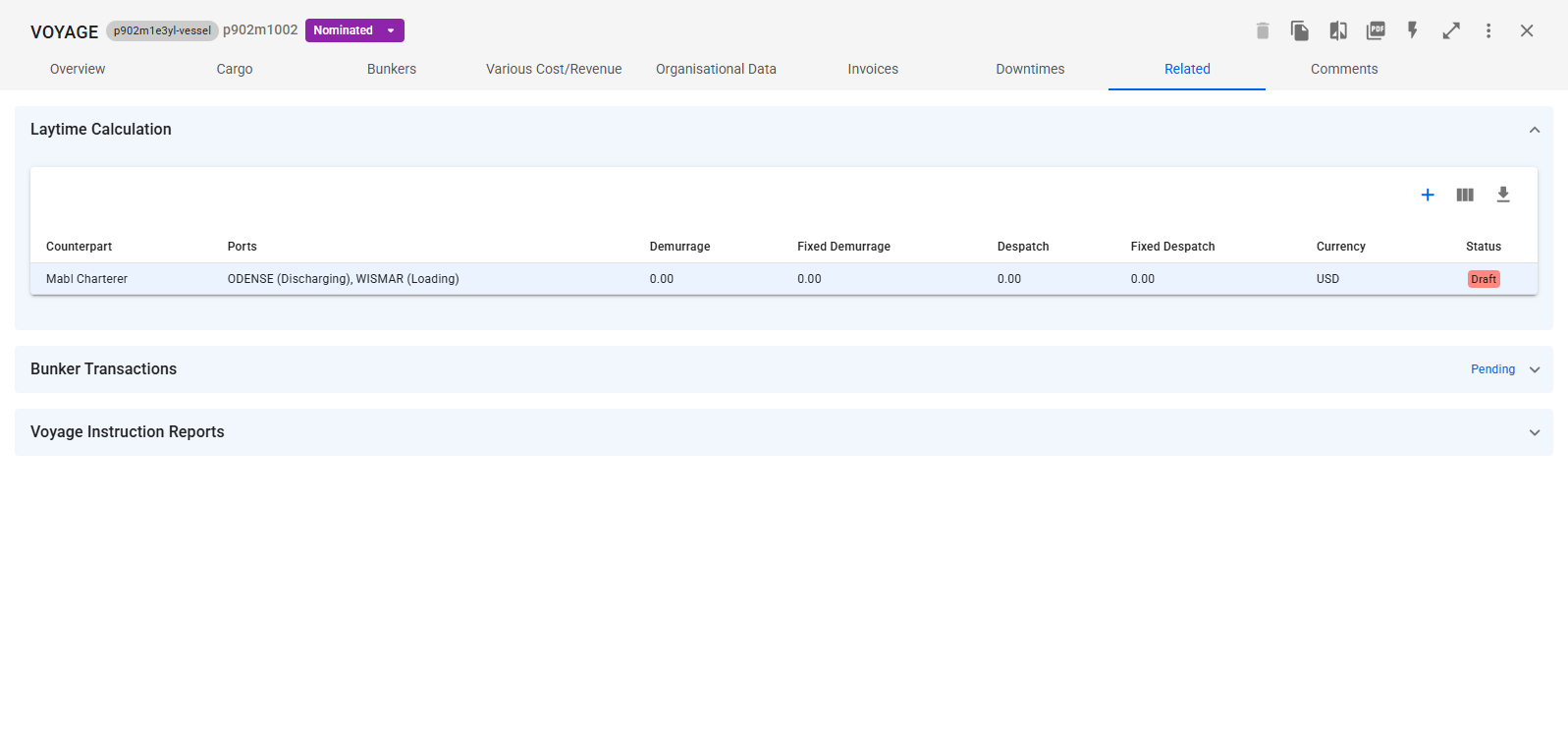
From the "Related" tab in the voyage drawer, you can view the voyage related information [Offhire](https://docs.dataloy.com/release-8.16/voyage-management-system/step-by-step-guides/operations/offhire), [Laytime Calculation](https://docs.dataloy.com/release-8.16/voyage-management-system/step-by-step-guides/operations/laytime-calculations), and [Bunker Transaction.](https://docs.dataloy.com/release-8.16/voyage-management-system/step-by-step-guides/finance/bunker-transactions) Expand a section by clicking the arrow on the top right of each section to view a list of information. Click on an item in the list to go to the the corresponding drawer and view more information about the specific item.
Figure 1: Related Tab Overview
### Offhire and Laytime Calculations
Expand the section and click the pluss-sign to the top right of the list to create new item for the voyage.
More details about *creating* Offhires: [create-offhire](https://docs.dataloy.com/release-8.16/voyage-management-system/step-by-step-guides/operations/offhire/create-offhire "mention").
More details about *creating* Laytime Calculations: [create-laytime-calculation](https://docs.dataloy.com/release-8.16/voyage-management-system/step-by-step-guides/operations/laytime-calculations/create-laytime-calculation "mention").