# View Service Orders of Port Costs

If one or multiple Service Orders are present on a Port Cost the rightmost corner of the row will show an expandable arrow <img src="https://content.gitbook.com/content/uZ9lzqgHX4JL1Df67xog/blobs/8wertHmNpckcehaJD29H/Screenshot%202022-12-20%20at%2007.53.38.png" alt="" data-size="line">

<figure><img src="https://content.gitbook.com/content/uZ9lzqgHX4JL1Df67xog/blobs/hkGlPPAqAZndnh2IGCRz/image.png" alt=""><figcaption></figcaption></figure>

By clicking the arrow <img src="https://content.gitbook.com/content/uZ9lzqgHX4JL1Df67xog/blobs/1T11Y1OP2NjgF3AUQb4y/Screenshot%202022-12-20%20at%2007.53.38.png" alt="" data-size="line">, all the linked Service Orders will be shown.

<figure><img src="https://content.gitbook.com/content/uZ9lzqgHX4JL1Df67xog/blobs/lYrsPfcAa5KY5GnDBQI6/image.png" alt=""><figcaption></figcaption></figure>

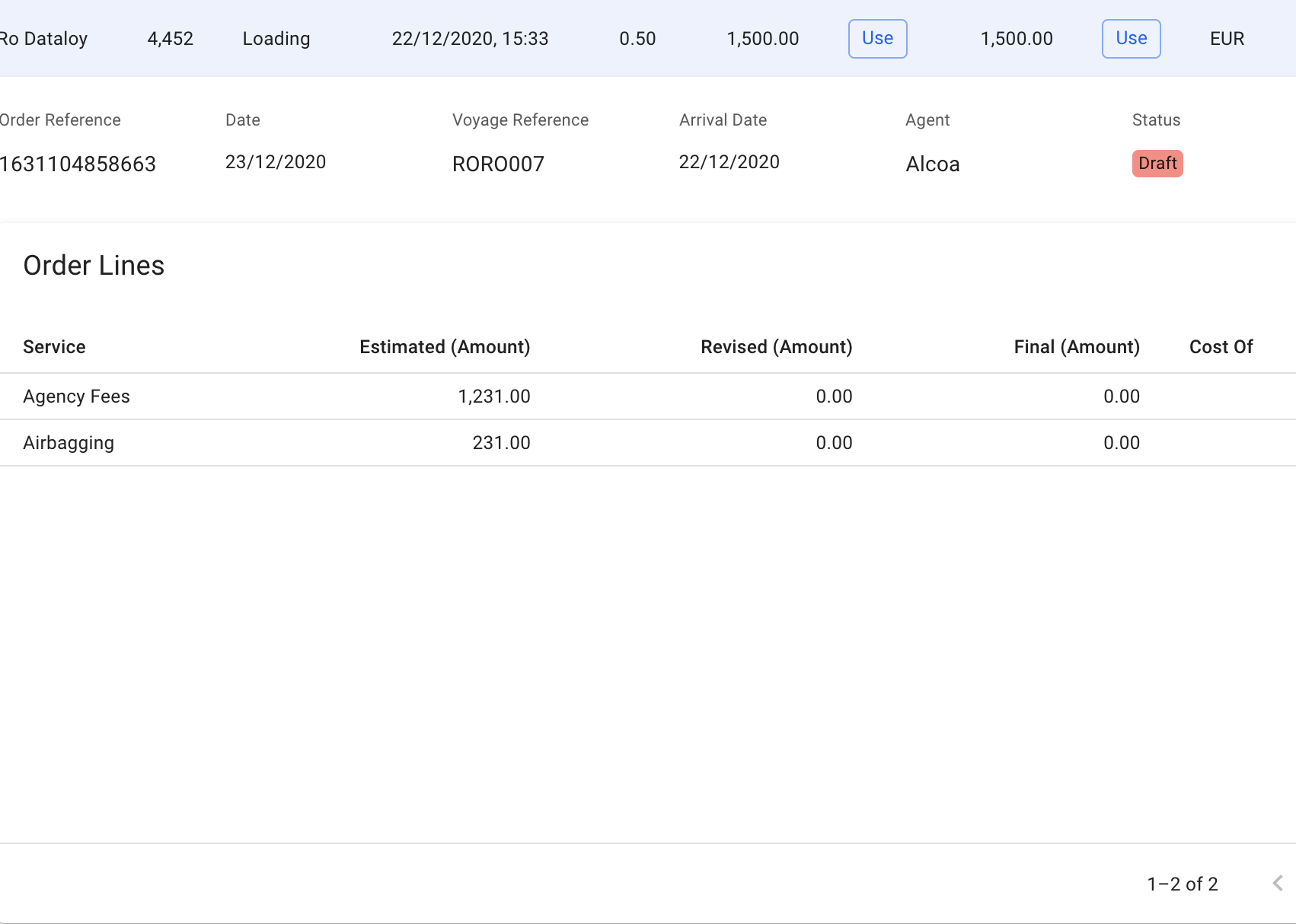
An expandable arrow on the rightmost side of the Service Order row is also available, and clicking this will show the Service Order Lines for the selected order.&#x20;

<figure><img src="https://content.gitbook.com/content/uZ9lzqgHX4JL1Df67xog/blobs/X1JNe4pKBqgMWBDaQQMf/image.png" alt=""><figcaption></figcaption></figure>