# Schedule - Routing
The routing tab is inactive by default. This feature provides alternative routes that can be used for each leg, estimating the adjusted TCE based on new distance, fuel consumption, sea margin, and more.
{% hint style="info" %}
The alternative routes may be created manually or must be coming from a third party, such as weather-based routes, etc.
For further details, please contact our sales team.
{% endhint %}
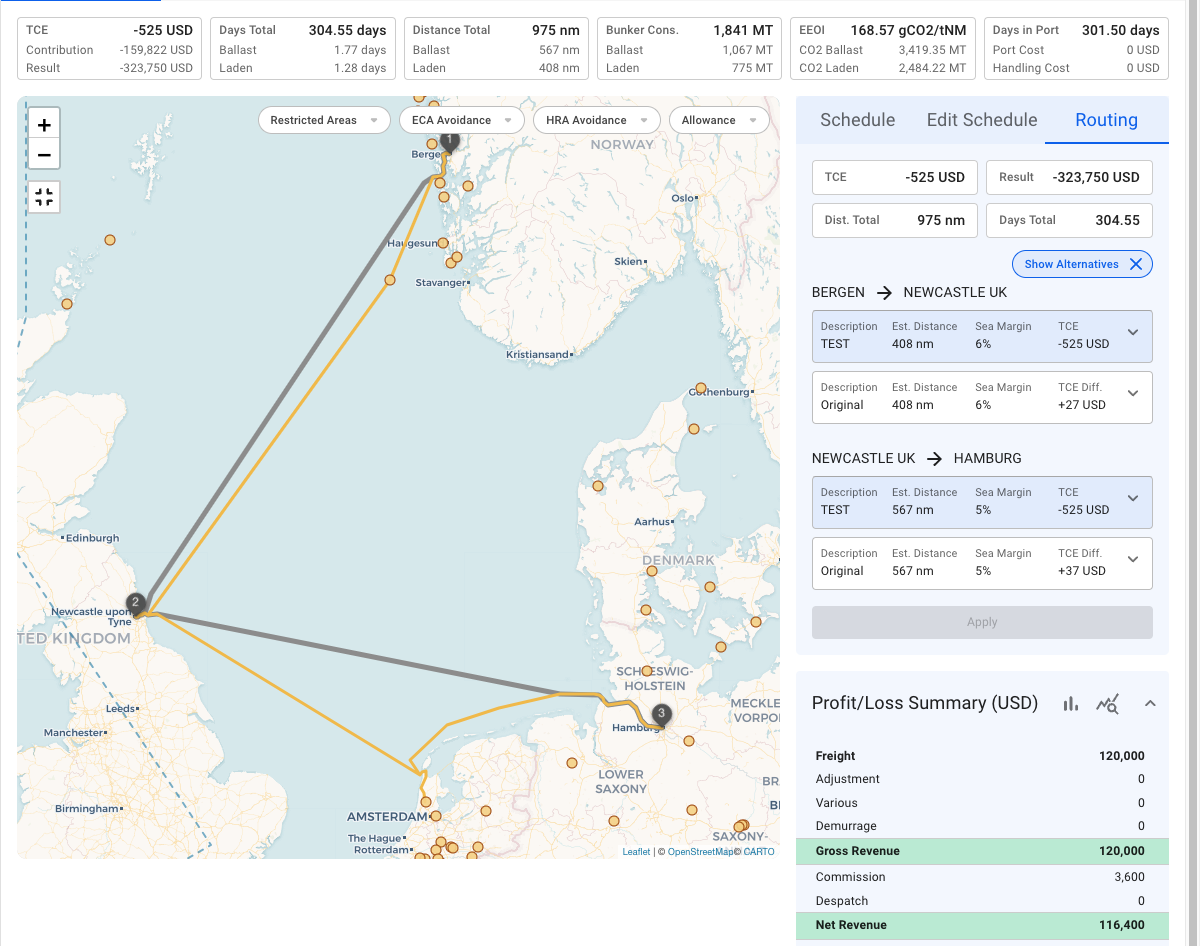
A voyage going from Bergen to Hamburg through Newcastle is displayed in *Figure 1*. The routing tab illustrates an alternative route for each leg. As presented in the screenshot, there is a key difference between the routes:
Figure 1. Schedule - Routing with alternative routes
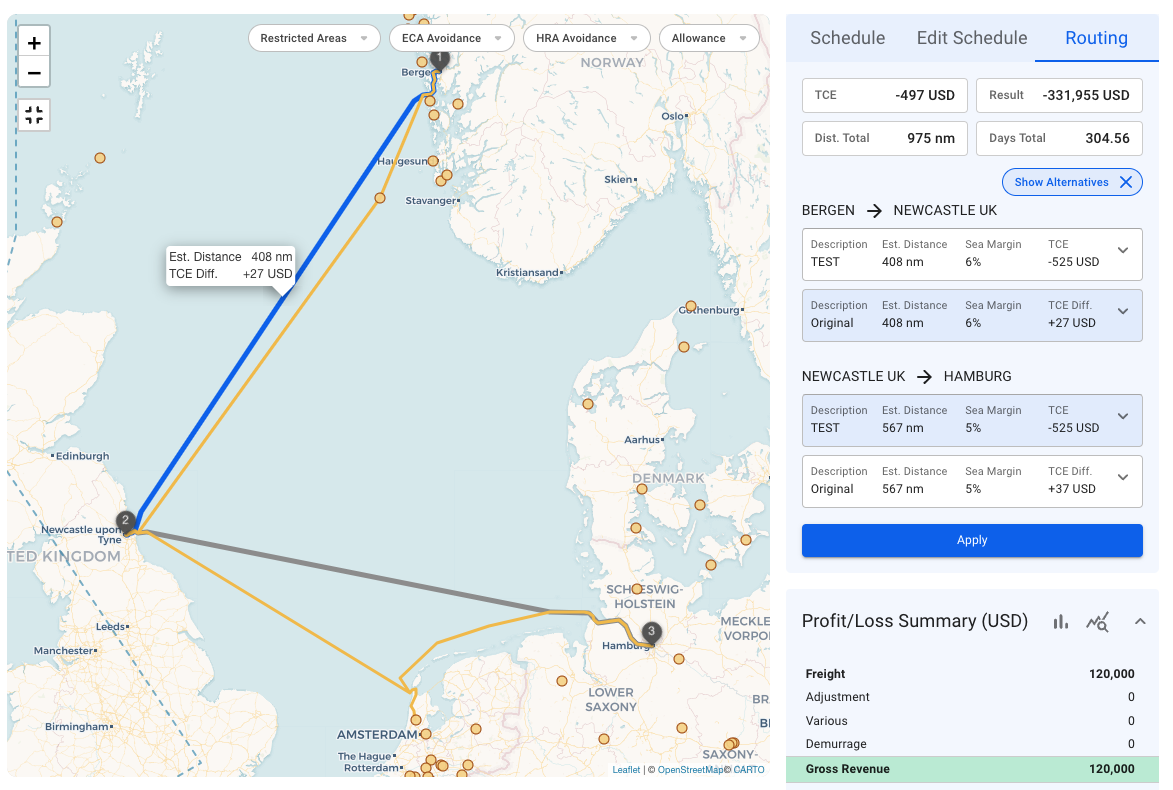
* *TCE Difference*: the TCE difference indicator shows the difference between the alternative route TCE and the currently selected route TCE. So, for the leg, Bergen -> Newcastle, the current TCE is -525 USD. On the other hand, selecting the alternative route will result in +27 USD, which is -497 USD of TCE total *(Figure 2)*.
Figure 2. Alternative route TCE Difference
### Detailed Comparison:
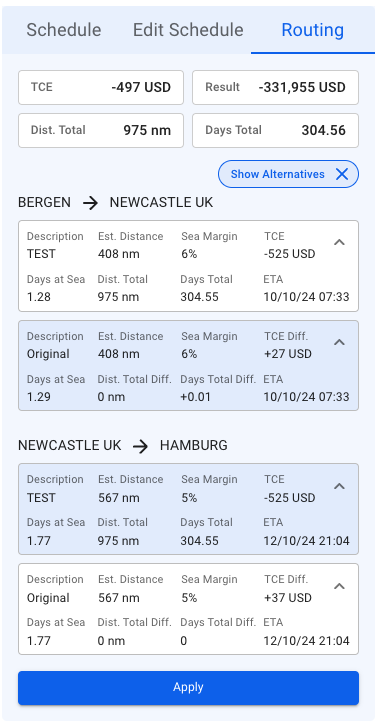
It is also possible to compare the routes in more detail! For instance, take a look at the screenshot below:
Figure 3. Routing - Detailed route comparison
Clicking the top-right arrow in each container expands the detailed information.
The *apply* button proceeds with the changes and saves the selected route for the current voyage.