# Long Time Charter Schedule
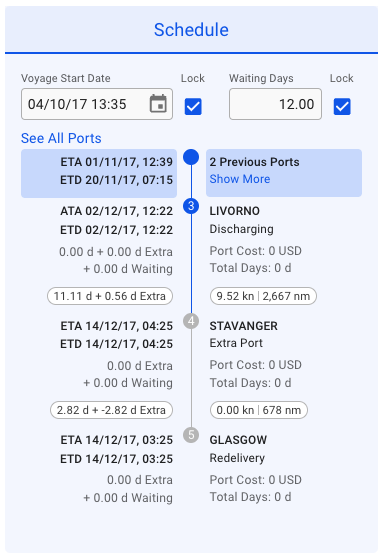
To recognize Long TC Voyages in the system, look for two key indicators: the Voyage Type labeled as (TC) and information in the [schedule section](https://docs.dataloy.com/release-8.16/voyage-management-system/step-by-step-guides/voyages/maintain-voyages/overview/schedule). An example of a Long TC Voyage is shown in the screenshot below:
Long TC Voyage Schedule
1. The blue rectangle represents Port Calls that occurred before the current Voyage.
2. "See All Port" is a link that, when clicked, opens a new browser tab displaying all Port Calls associated with the selected Voyage.
3. "Show More" is a link that allows you to add up to 5 additional Port Calls per click on the current Voyage's schedule. These added Port Calls will remain visible throughout the system unless the voyage is reopened.