# Create Voyage Without Cargo
There may be several reason for having a voyage without any cargo onboard the vessel. By using the Create Voyage Without Cargo option, you can for instance plan out repositioning of your vessels, or schedule dry docking.
### Steps:
1. Open the **Voyages** module from the menu on the left.
2. On the top right corner, click the icon.
3. Select **Create Voyage Without Cargo**.
4. After you have filled in the required information, you can click **Create**.
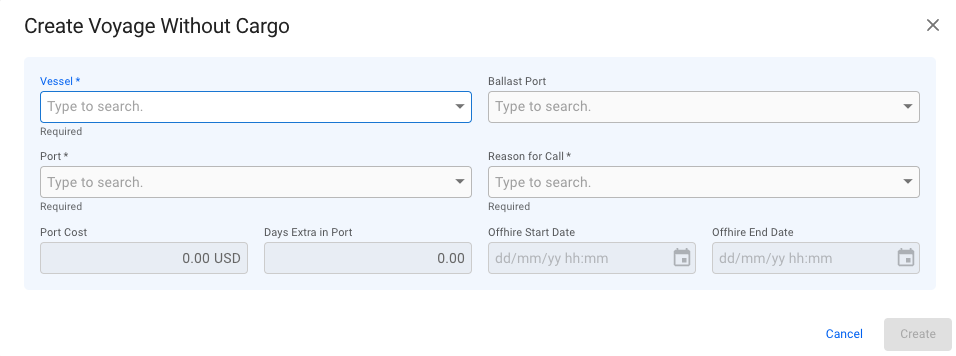
Create Voyage Without Cargo Modal
| Field | Required Fields | Note |
| ------------------ | ---------------- | --------------------------------------------------------------------------------------------------------------------------------------------------------------------------------------------------------------- |
| Vessel | Yes | |
| Ballast Port | No | If none is selected the selected *Port* will be used. |
| Port | Yes | |
| Reason For Call | Yes | If *Dry Dock* is selected, an Offhire record will be created. |
| Port Cost | No | Only available if *Reason For Cal*l is set to *Bunkering* or *Extra Port.* |
| Days Extra In Port | No | Only available if *Reason For Cal*l is set to *Bunkering* or *Extra Port.* |
| Offhire Start Date | Yes (If enabled) |
Only available if Reason For Call is set to Dry Dock.
Voyage Start Date will automatically be locked and set to the selected Offhire Start date.
|
| Offhire End Date | Yes (If enabled) |
Only available if Reason For Call is set to Dry Dock.
 icon.
3. Select **Create Voyage Without Cargo**.
4. After you have filled in the required information, you can click **Create**.
icon.
3. Select **Create Voyage Without Cargo**.
4. After you have filled in the required information, you can click **Create**.