# Internal Data
1. Open the **Vessels** module in the Master Data section.
2. Open the Vessel drawer
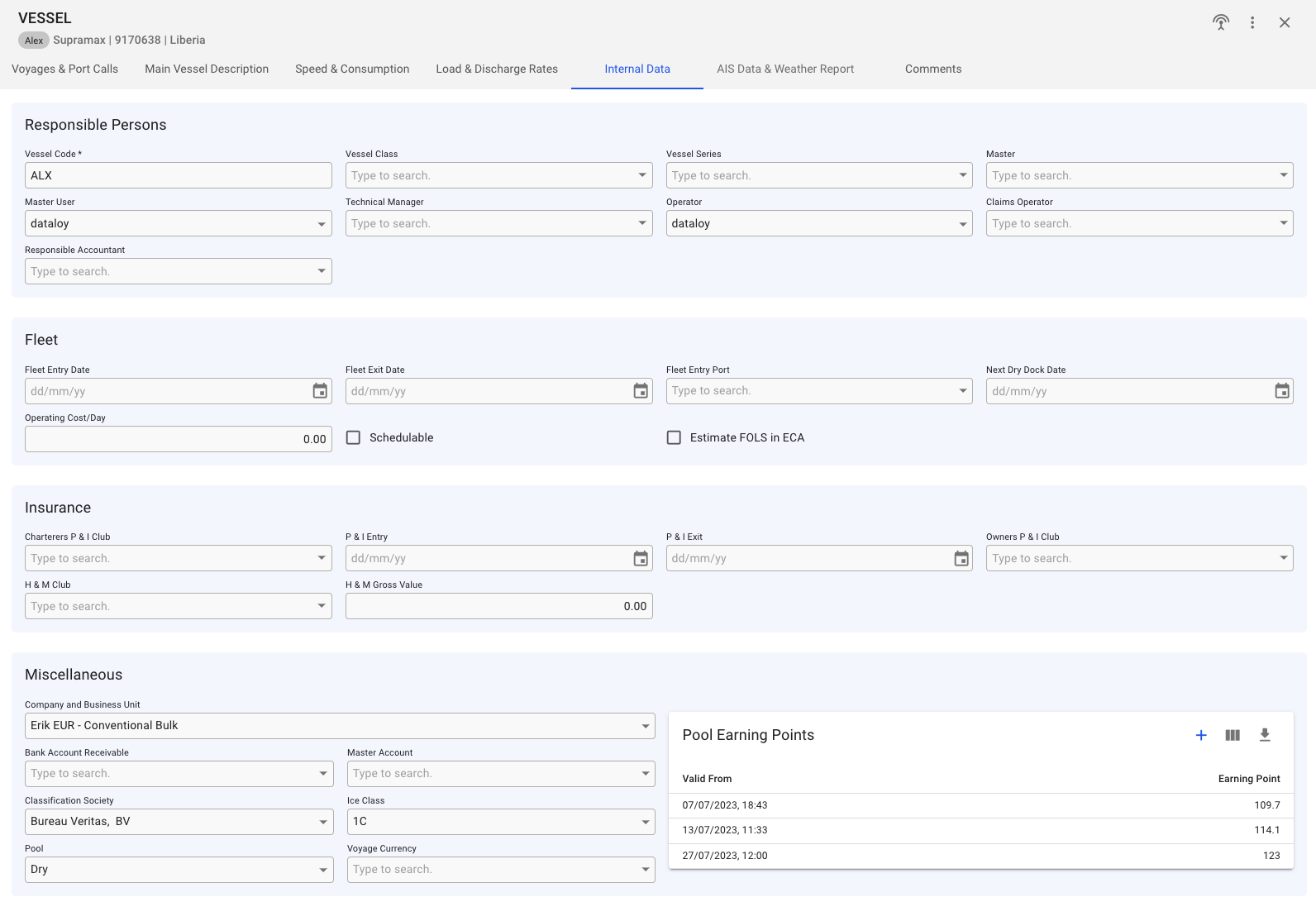
Vessel Internal Data tab
**Miscellaneous:**
Here, you can set fields like [Company](https://docs.dataloy.com/release-8.16/voyage-management-system/step-by-step-guides/master-data/companies) and Business Unit, Bank Account Receivable, Master Account, Classification Society, specify the [Ice Class](https://docs.dataloy.com/release-8.16/voyage-management-system/step-by-step-guides/master-data/ice-class) (if classification society is selected), and Pool, as well as the *Pool Earning Points*. In this table, you can create, edit, and delete a Pool Earning Point:
*Create/edit modal for Pool Earning Point.*
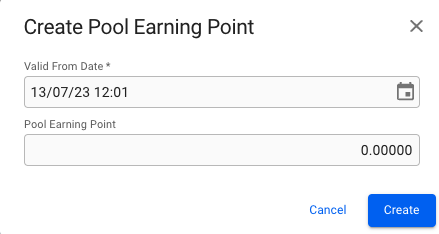
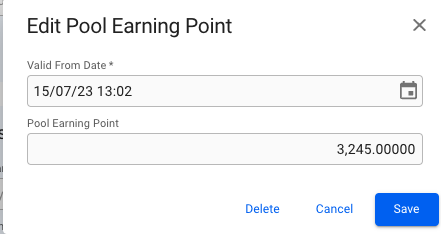 *Create/edit modal for Pool Earning Point.*