# Create Vessels
1. Open the **Vessels** module in the Core menu in the top left corner.
2. Click **Create Vessel** in the top right corner.
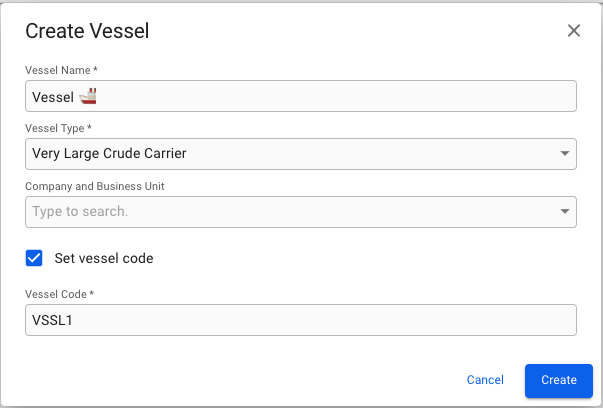
3. Fill in all required fields listed below in the Create Vessel window.
**Required fields:**
* Vessel Name
* Vessel Type
* Vessel Code\*
\*The Vessel Code field is only visible and required if you have ticked off the "Set vessel code" checkbox. If the checkbox is not ticked off, a Vessel Code will automatically be generated for you.
 in the top right corner.
3. Fill in all required fields listed below in the Create Vessel window.
in the top right corner.
3. Fill in all required fields listed below in the Create Vessel window.