# Voyages & Port Calls

The Voyages & Port Calls tab has two sections. A list of all voyages for the selected trade, and then a choice between the port calls or bunkers for a selected voyage.

## Voyages

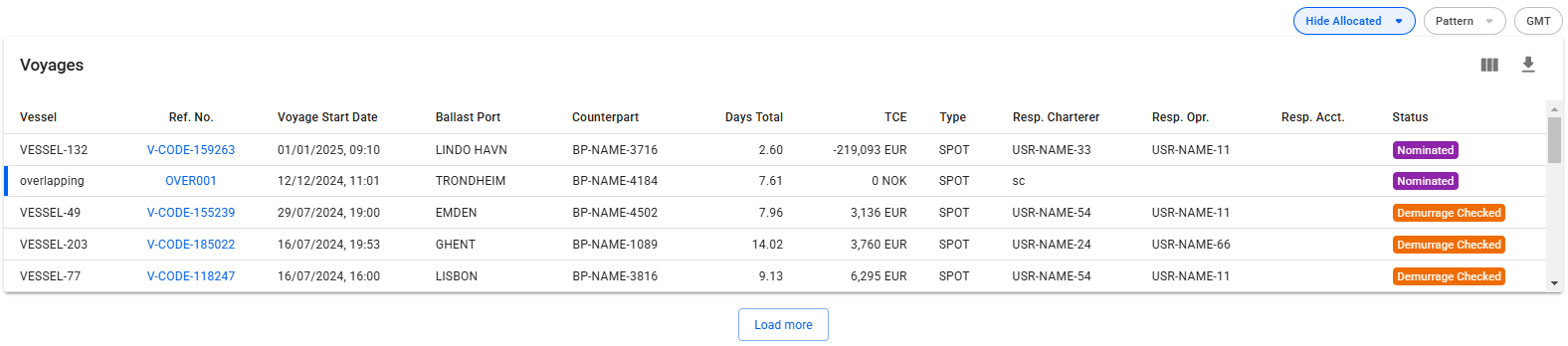
<figure><img src="https://content.gitbook.com/content/uZ9lzqgHX4JL1Df67xog/blobs/ERGeFCtEXFnN5Ngg5Fx5/image.png" alt=""><figcaption><p>Voyages list</p></figcaption></figure>

This is a list of voyages on the opened trade sorted by newest first. Clicking the <img src="https://content.gitbook.com/content/uZ9lzqgHX4JL1Df67xog/blobs/6VFwuaei9x1AvITtQqIU/image.png" alt="" data-size="line"> icon will bring up a modal to customize which columns are visible. In the upper right corner of the list there is the option to hide/show allocated voyages for the selected trade, filter voyages based on which pattern they are part of, and show the times in GMT instead of local time. If there is an ongoing voyage in the list, it is indicated with a blue marker on the left side, as seen in the image below.
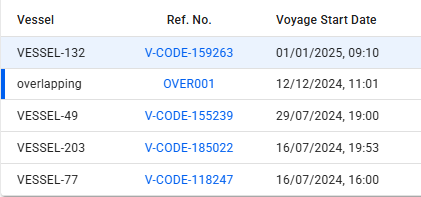
<figure><img src="https://content.gitbook.com/content/uZ9lzqgHX4JL1Df67xog/blobs/fmYB4iOPdVRBxzMlnJdA/image.png" alt=""><figcaption><p>The ongoing voyage (overlapping) is marked by the solid deep blue bar on the left, while the selected voyage (132) is highlighted in blue</p></figcaption></figure>

Below, you will find a list of either Port Calls or Bunkers, and a button to toggle between the two different views.

### Port Calls

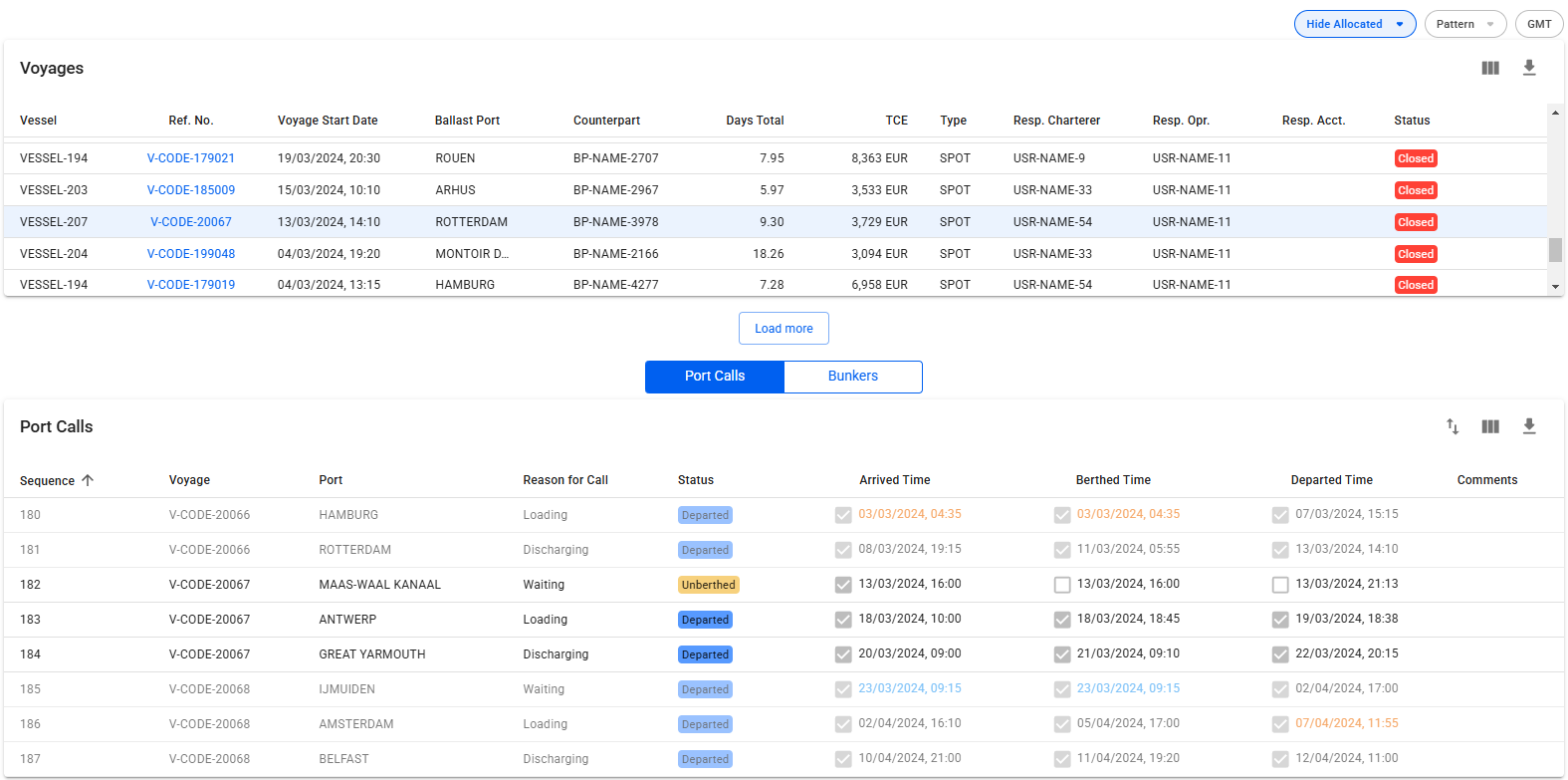
While in Port Call view, clicking on a voyage row will list all port calls of the selected voyage, as well as the port calls from the previous and next voyage on the same vessel as the selected voyage, if they exist. The port calls from the previous and next voyage on the same vessel will be in a slightly lighter colour, such that it is possible to tell them apart. Clicking directly on the **reference number** of the voyage will open up the *Voyage drawer*.&#x20;

Clicking on port calls in the list opens the corresponding port call's drawer where you can make can changes:

The Port Calls list will display up to 30 items, and includes a separate scrolling functionality. By hovering over each of the "headers" (such as *Voyage*, *Port*, *Reason for Call*, etc.), you can also see an **sorting array** which will make you able to sort that specific column in either an ascending (ASC) or descending (DESC) order.&#x20;

<figure><img src="https://content.gitbook.com/content/uZ9lzqgHX4JL1Df67xog/blobs/WRk2wiyAfAuqJFsEMKAL/image.png" alt=""><figcaption><p>Port Calls of the previous, selected, and next voyage</p></figcaption></figure>

### Bunkers

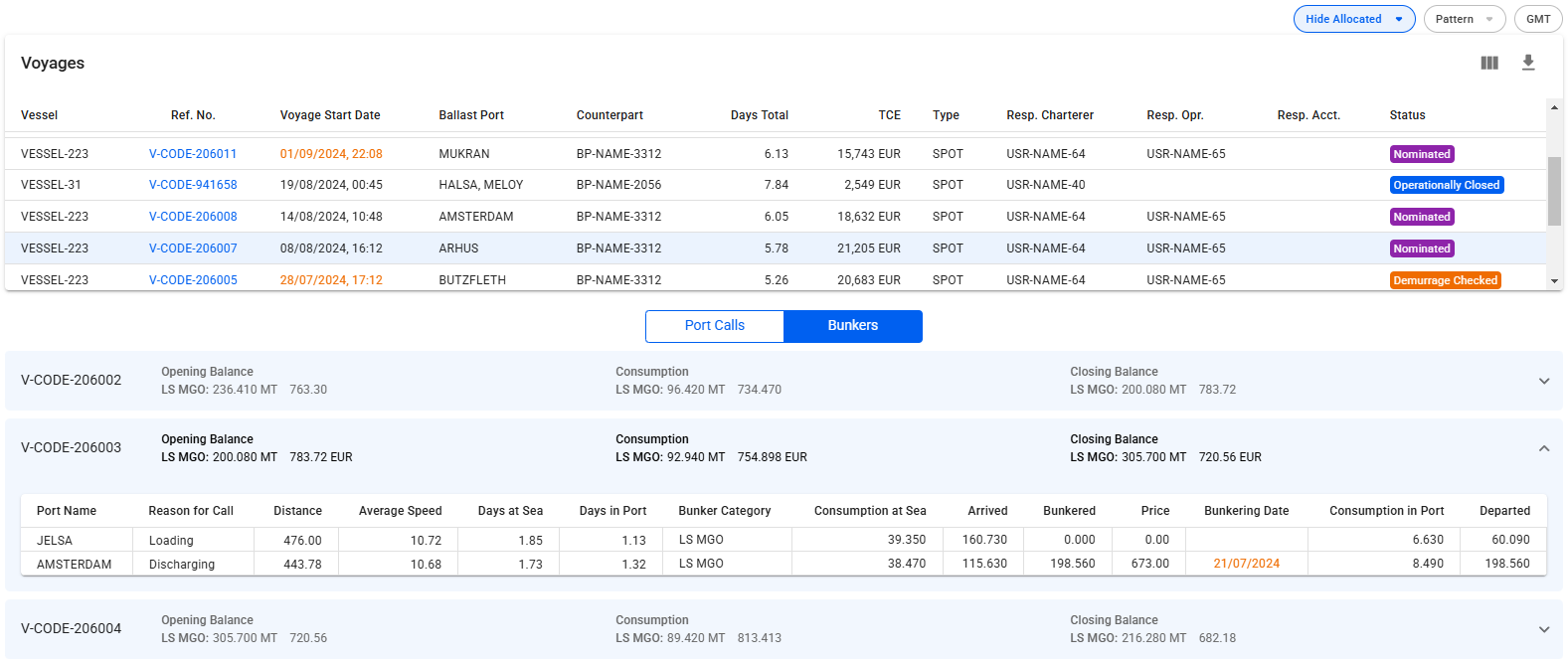
The Bunkers view removes the list in favour of up to three collapsible sections for the voyages. Similarly to the Port Calls view,  clicking on a voyage row in the voyages list will select/open up the corresponding collapsible section, and fetch the data for the previous and next voyage on the same vessel:

<figure><img src="https://content.gitbook.com/content/uZ9lzqgHX4JL1Df67xog/blobs/6U00FUWfyVghX8qHrZDk/image.png" alt=""><figcaption><p>Bunker consumption overview for the previous, selected, and next voyage</p></figcaption></figure>

The top band of the section displays 4 columns; the reference number of the voyage, Opening Balance, Consumption and Closing Balance. Each of the latter three will show amount and price for up to 4 different bunker types, depending on which bunkers are actually being used by the selected voyage's vessel.

<figure><img src="https://content.gitbook.com/content/uZ9lzqgHX4JL1Df67xog/blobs/Hg2xLnEHWpvIO3ekuvj6/Skjermbilde%202024-01-05%20kl.%2017.24.46.png" alt=""><figcaption><p>On this voyage, only FO and LS MGO has been consumed, so the balances and consumption columns only displays information for FO and LS MGO.</p></figcaption></figure>

Expanding the collapsible section will give you a table overview of each port, with reason for call, distance, speed etc., as well as a detailed breakdown of the bunkers consumed. Only the bunkers actually used will be displayed here.

<figure><img src="https://content.gitbook.com/content/uZ9lzqgHX4JL1Df67xog/blobs/pb2jWEtcPuXWAAfNxtsE/Skjermbilde%202024-01-05%20kl.%2017.33.09.png" alt=""><figcaption><p>On this voyage, only FO and LS MGO has been consumed, so the breakdown also only displays information for FO and LS MGO.</p></figcaption></figure>

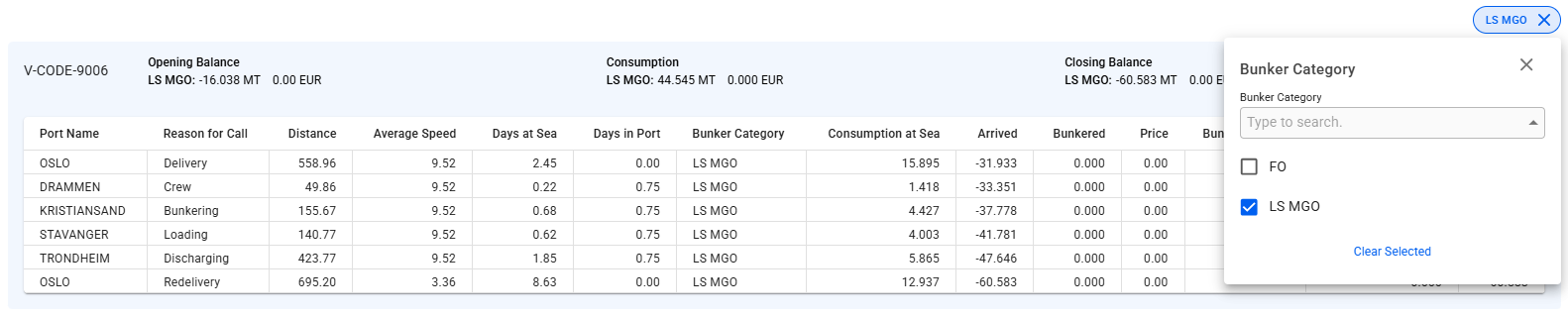
**Filtering**

The bunker section can be filtered by bunker category to get a better overview for each category.

<figure><img src="https://content.gitbook.com/content/uZ9lzqgHX4JL1Df67xog/blobs/W6rBYESxjjHtZvVtMIuy/Skjermbilde%202025-04-29%20144406.png" alt=""><figcaption></figcaption></figure>

## Resequence Port Calls

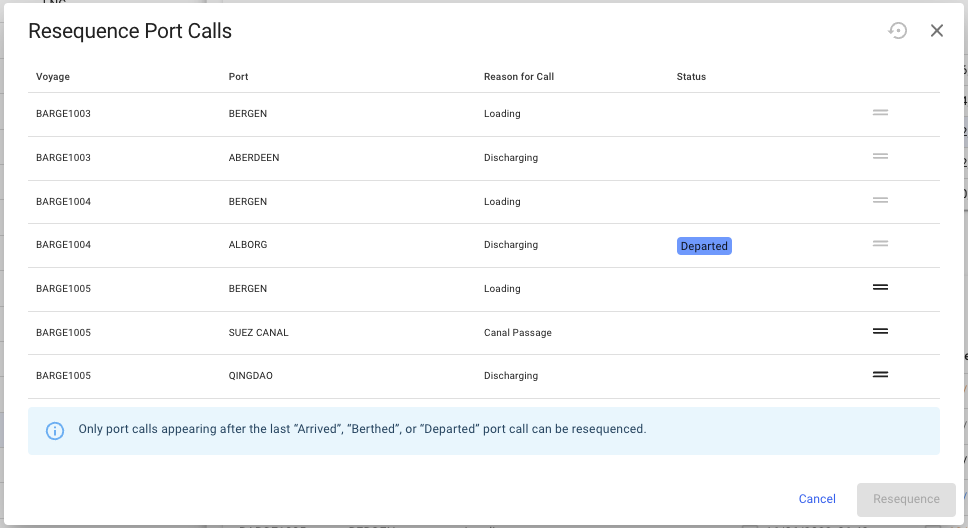
Port calls can also be resequenced to a different position within the previous, current, or next voyage. To resequence a port call, click the resequence symbol ![](https://content.gitbook.com/content/uZ9lzqgHX4JL1Df67xog/blobs/uEiqEmo0AvPTFxFHq3Na/import_export_24px.svg) in the top right corner of the port calls list. A popup modal will then show and the port call can be dragged and dropped in the desired position (see screenshot below). Note that only one port call can be moved at a time. Also, only port calls after the last *Arrived*, *Berthed* or *Departed* port call can be moved in the list:<br>

<figure><img src="https://content.gitbook.com/content/uZ9lzqgHX4JL1Df67xog/blobs/b2RtyVKl9zDItDghh9u0/image.png" alt=""><figcaption><p>Resequence the port calls</p></figcaption></figure>