# Synchronizing Events and Deductions

Starting with Release 8.7, it is now possible to synchronize [events](https://docs.dataloy.com/release-8.16/voyage-management-system/step-by-step-guides/operations/laytime-calculations/maintain-laytime-calculation/manage-cargo-ports/statement-of-facts) and deductions[ (not to counts) ](https://docs.dataloy.com/release-8.16/voyage-management-system/step-by-step-guides/operations/laytime-calculations/maintain-laytime-calculation/manage-cargo-ports/timesheet)between a relet and the corresponding spot cargo, and vice versa. This reduces the manual effort needed when [reletting a cargo](https://docs.dataloy.com/release-8.16/voyage-management-system/cargoes/maintain-cargoes/cargo-drawer-actions/relet-cargoes#relet-a-cargo) since you no longer have to copy the events and deductions manually.

## How It Works

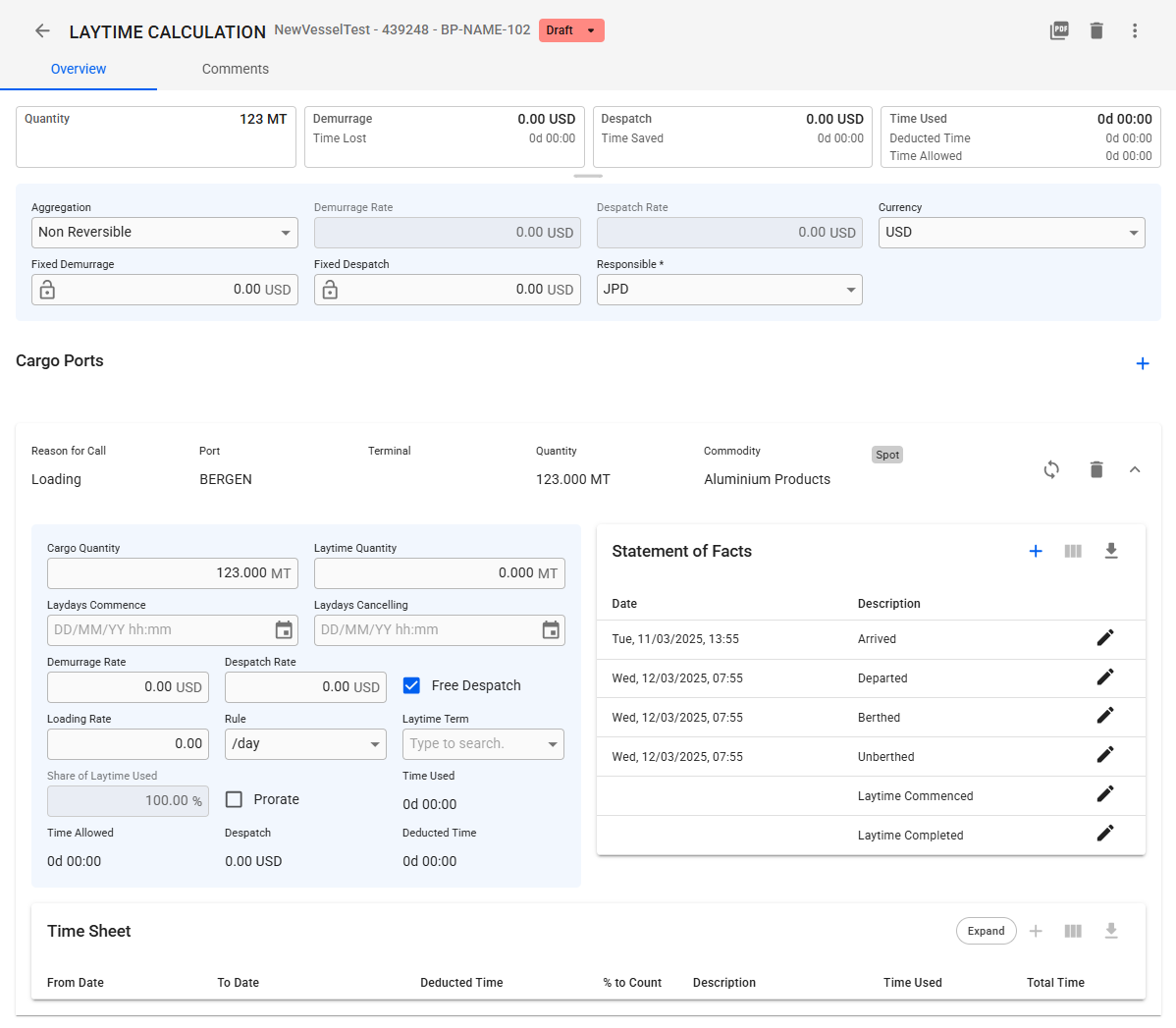
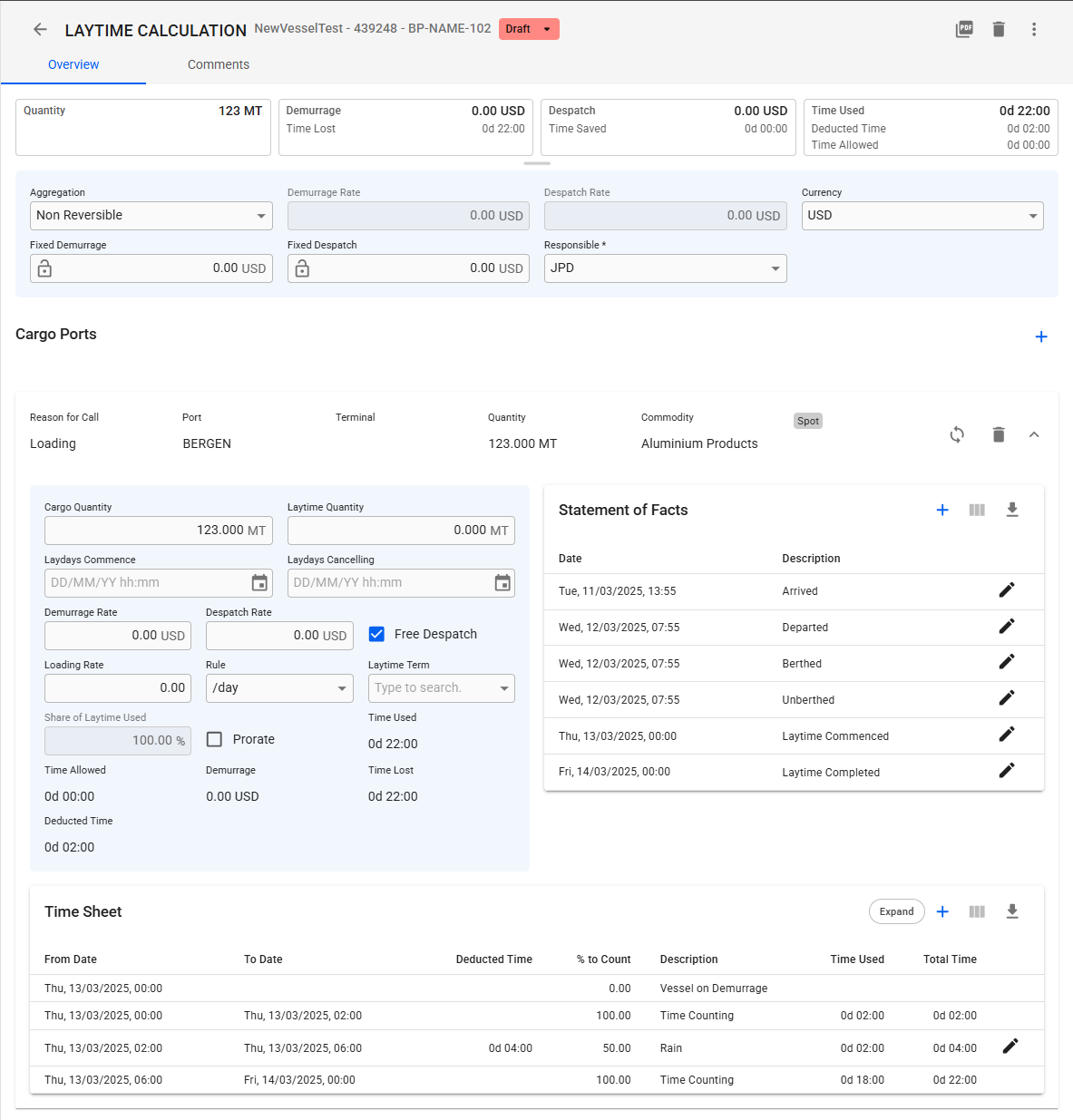
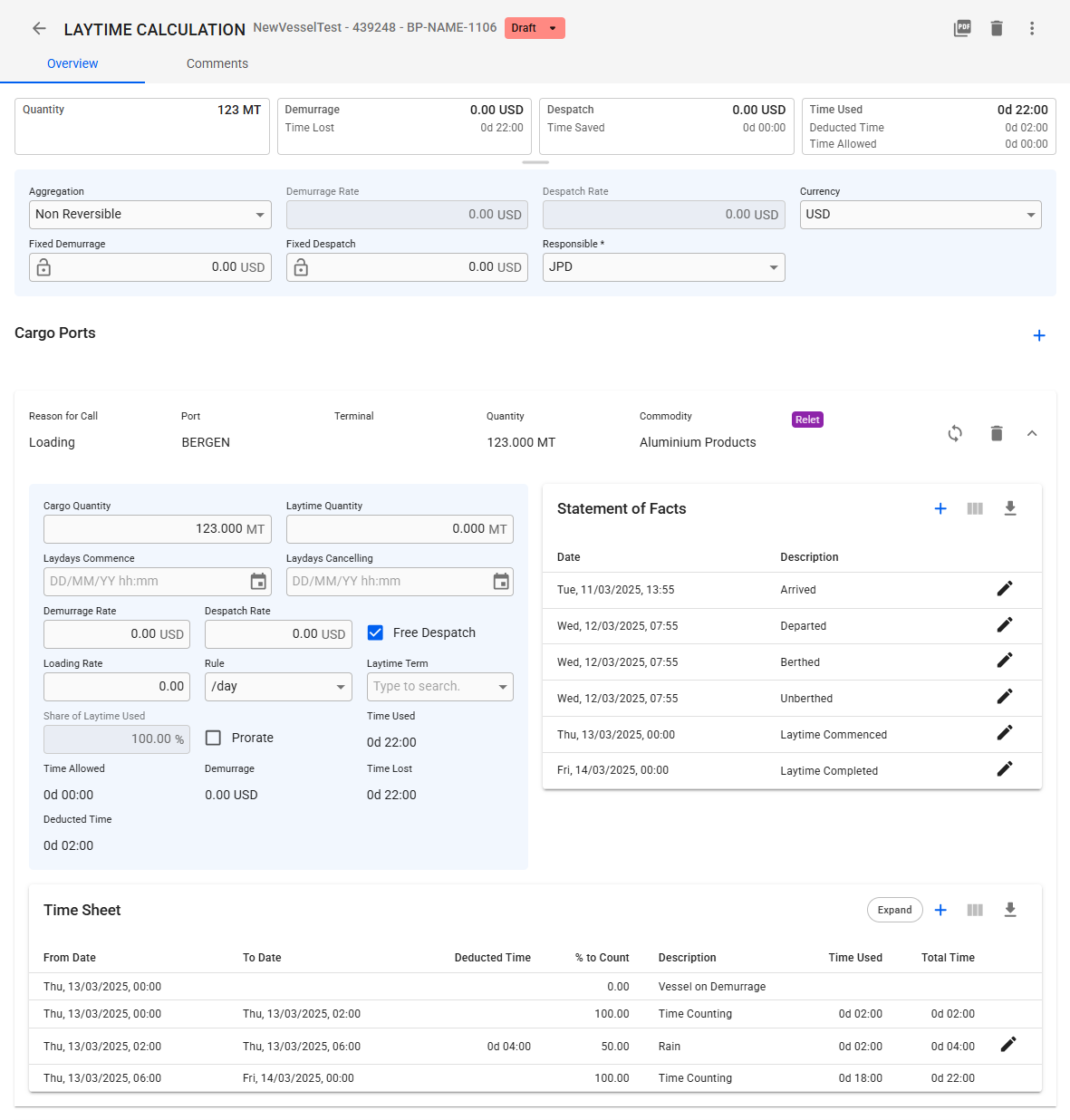
When synchronizing the relet or spot cargo, all[ laytime events](https://docs.dataloy.com/release-8.16/voyage-management-system/step-by-step-guides/operations/laytime-calculations/maintain-laytime-calculation/manage-cargo-ports/statement-of-facts), as well as the ["not to count"](https://docs.dataloy.com/release-8.16/voyage-management-system/step-by-step-guides/operations/laytime-calculations/maintain-laytime-calculation/manage-cargo-ports/timesheet) events, will be copied from the corresponding cargo. For example, if you synchronize a spot cargo with a relet cargo, all events from the relet cargo will be copied to the spot. Figure 1-3 illustrates this process.

<div><figure><img src="https://content.gitbook.com/content/uZ9lzqgHX4JL1Df67xog/blobs/QmPODH0IGjpQk1vbczXy/image.png" alt=""><figcaption><p>Figure 1: The Relet Cargo we are syncing from</p></figcaption></figure> <figure><img src="https://content.gitbook.com/content/uZ9lzqgHX4JL1Df67xog/blobs/3HxXRpQW8Or23nHsDw0Z/Screenshot%202025-03-06%20083409.png" alt=""><figcaption><p>Figure 2: The Spot Cargo we are going to sync</p></figcaption></figure> <figure><img src="https://content.gitbook.com/content/uZ9lzqgHX4JL1Df67xog/blobs/XuafJQp0xbtSyYco71BY/image.png" alt=""><figcaption><p>Figure 3: The Results of Synchronizing</p></figcaption></figure></div>

## Synchronizing Events and Deductions

To synchronize a relet with its corresponding spot cargo, follow these steps:

1. Open the [Related ](https://docs.dataloy.com/release-8.16/voyage-management-system/step-by-step-guides/voyages/maintain-voyages/related)tab in the Voyage Drawer.
2. Expand the Laytime Calculations to access the Cargo Port Panel List.
3. In the Cargo Port Panel List, a *Synchronize Events and Deductions* button will be available for all relet and corresponding spot cargo ports.

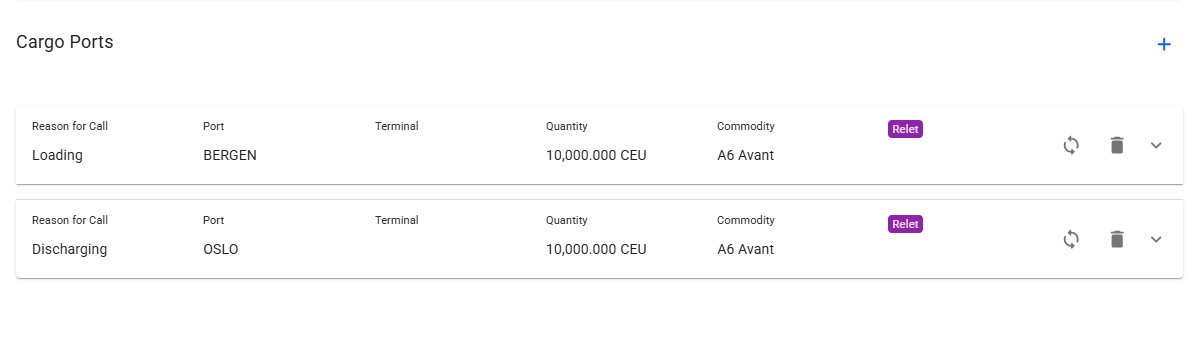
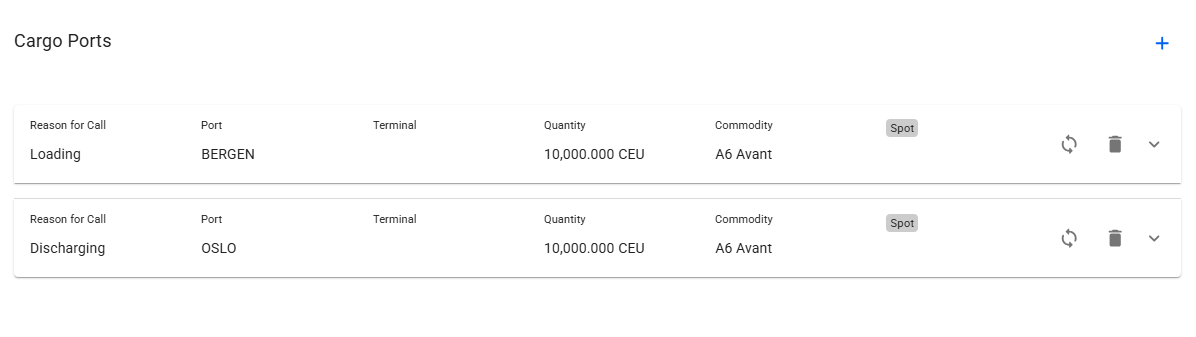
To make it easier to identify which cargoes are relet and connected to a spot cargo, a **chip** has been added to the section header. See the figures below.

{% tabs %}
{% tab title="Relet Cargo" %}

<figure><img src="https://content.gitbook.com/content/uZ9lzqgHX4JL1Df67xog/blobs/3cUibk1M7pewInWBTyqy/image.png" alt=""><figcaption><p>Figure 4: Relet Cargo</p></figcaption></figure>
{% endtab %}

{% tab title="Spot Cargo" %}

<figure><img src="https://content.gitbook.com/content/uZ9lzqgHX4JL1Df67xog/blobs/SJJxnfeIC5CHNB3ixsNg/image.png" alt=""><figcaption><p>Figure 5: Corresponding Spot Cargo</p></figcaption></figure>
{% endtab %}
{% endtabs %}

**NOTE:** When copying synchronizing the events and deductions, existing events and deductions ***will be overwritten***!

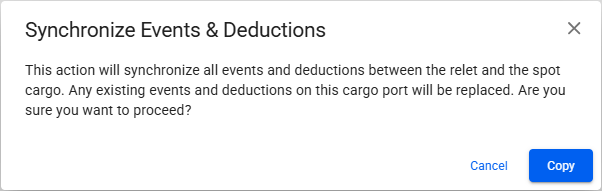
To prevent accidental overwrites, a confirmation modal will appear with a brief explanation. You must confirm your choice before synchronization. See Figure 6.

<figure><img src="https://content.gitbook.com/content/uZ9lzqgHX4JL1Df67xog/blobs/PdfUfciMIrdwWdIesSse/image.png" alt=""><figcaption><p>Figure 6: Synchronize Events &#x26; Deductions Warning Modal</p></figcaption></figure>

## Deletion of Cargo

Deleting either the relet or its connected spot cargo does not affect the other. Synchronization only occurs when you manually click the button and confirm the action.