# Maintaining Claims
## Changing Claim Status
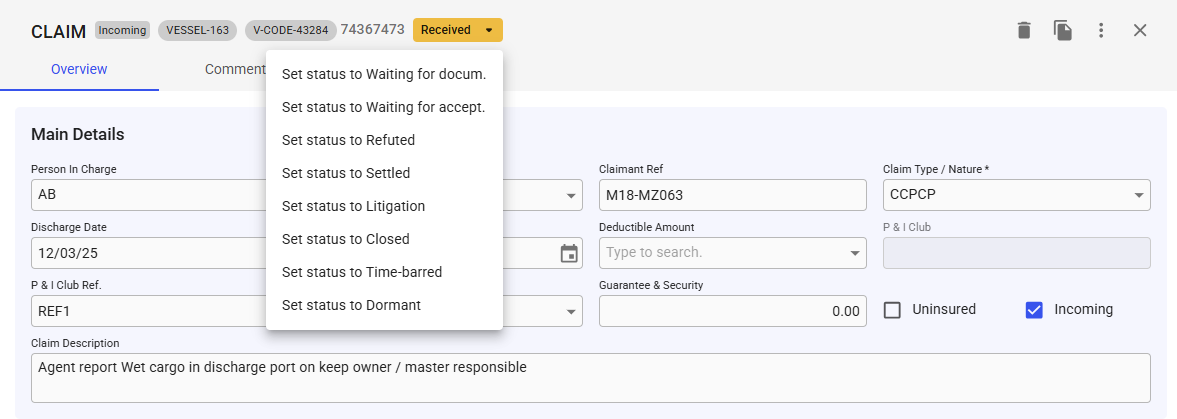
To change the status of the Claim, click the status chip at the top of the drawer. This will list all possible statuses, and you can freely select the status you want. When changing status, the status column in the Claim grid will update to reflect the changes.
## Adding and removing Claim Causes
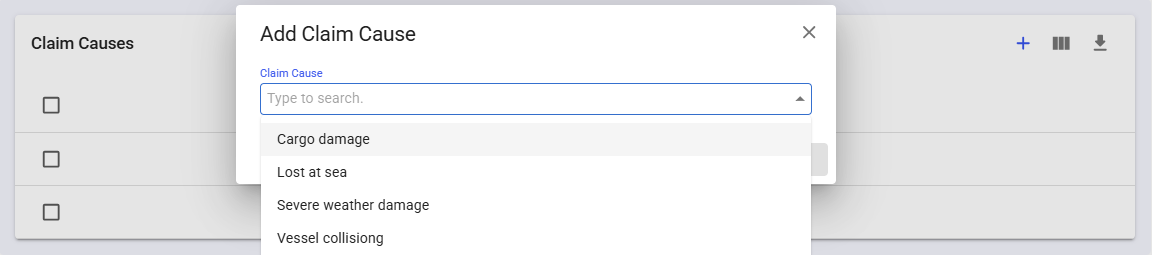
To add a claim cause, click the blue plus button in the top-right corner, refer to figure above. A modal will appear where you can select the claim cause you want to add.
Figure 1: Add Claim Cause modal
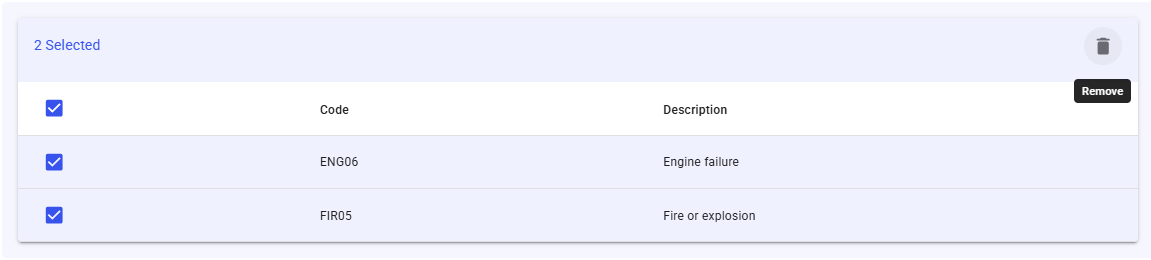
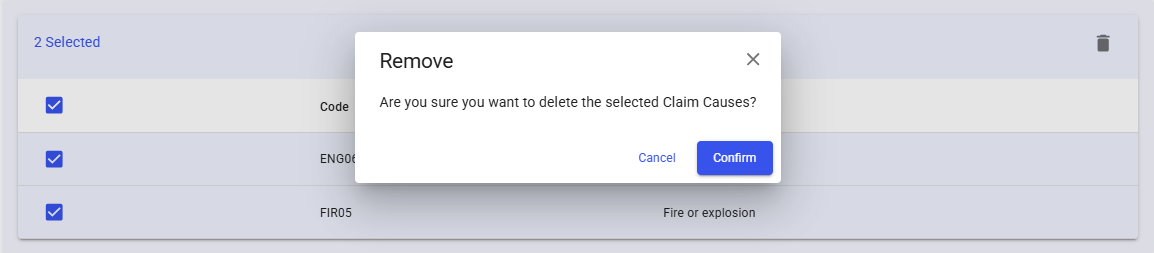
To remove a claim cause, tick the checkboxes next to the causes you wish to remove, and then click the remove icon in the top-right corner. A confirmation pop-up will appear. See figures below for reference.
Figure 2: Claim Causes selected and remove button visible
Figure 3: Remove confirmation
**Note:** Adding and removing claim causes only affects the current claim. To create or delete a claim cause, please refer to the Claim Cause page.