# Create Cargo From Existing Cargo
To efficiently create a cargo, you can create a cargo based on an existing cargo.
### **Steps:**
1. Open the **Cargoes** module from the menu on the left.
2. In the top right corner, click **Create** .
3. Select **Create New Cargo From Existing Cargo**.
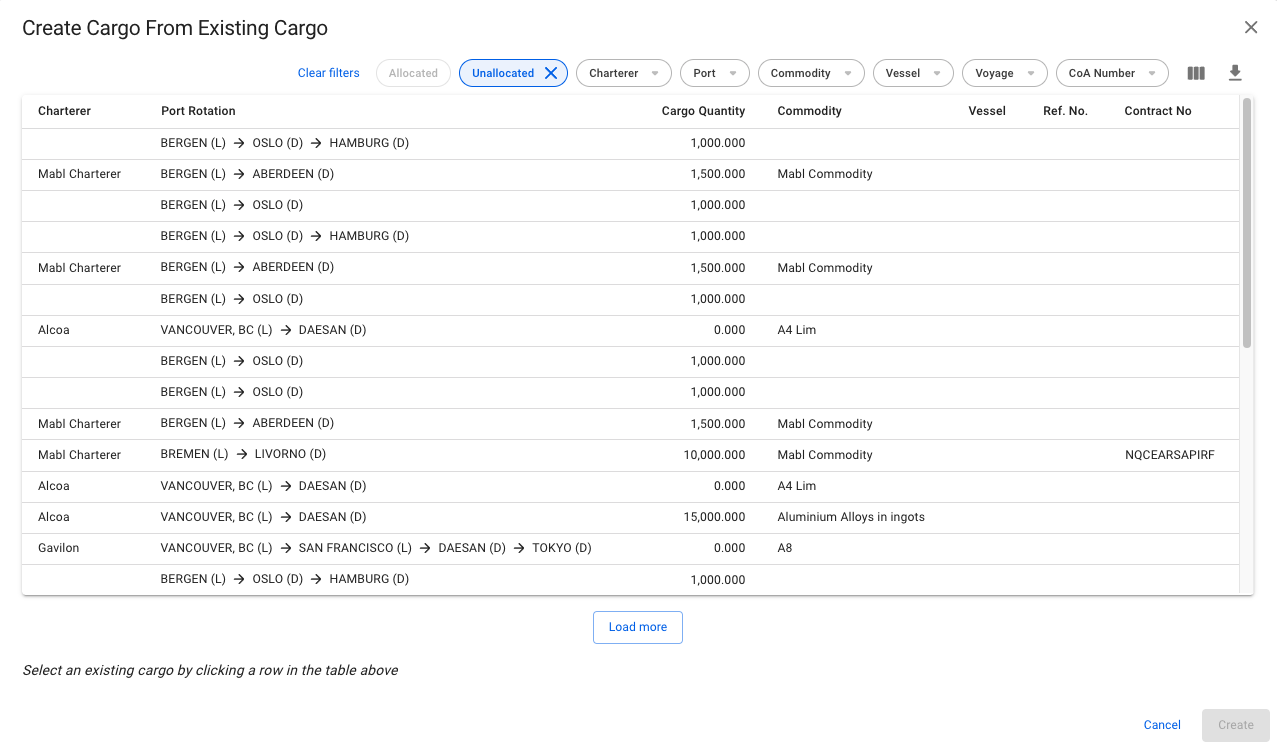
4. In the modal, **select** a cargo to create the new cargo
5. Click **Create**.
### The modal:
Modal for creating a cargo from existing cargo
{% hint style="info" %}
The modal can also be found in:
* Voyage drawer, cargoes tab
* Voyage drawer, cargoes list
* Fleet Plans, Cargo Management
* Fleet Plans, Cargoes
* Capacity Plan
* Cargoes
{% endhint %}
 .
3. Select **Create New Cargo From Existing Cargo**.
4. In the modal, **select** a cargo to create the new cargo
5. Click **Create**.
### The modal:
.
3. Select **Create New Cargo From Existing Cargo**.
4. In the modal, **select** a cargo to create the new cargo
5. Click **Create**.
### The modal: