# Cargoes Grid

The template voyages' **cargoes** can be found here:

<figure><img src="https://content.gitbook.com/content/uZ9lzqgHX4JL1Df67xog/blobs/YLAFvx65MnBCey1eFkiE/Screenshot%202025-03-06%20at%2011.36.48.png" alt=""><figcaption><p>Cargoes grid</p></figcaption></figure>

All these rows are non-editable.

Read more about the grid's "base functionality" [here](https://docs.dataloy.com/release-8.16/voyage-management-system/step-by-step-guides/data-grids#base-functionality).

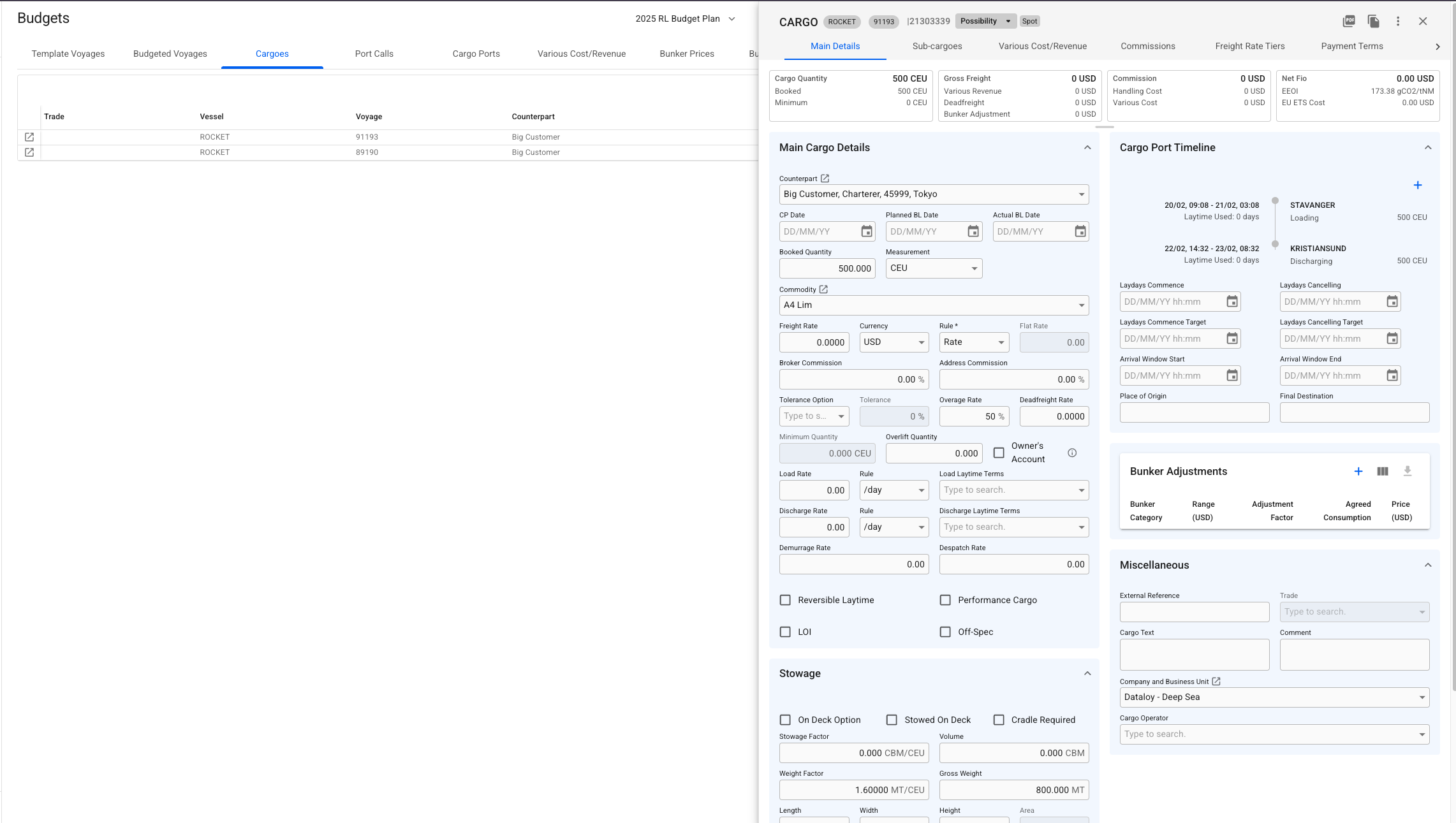
## Opening a Cargo

By clicking the ![](https://content.gitbook.com/content/uZ9lzqgHX4JL1Df67xog/blobs/Vh7gjbsDboOiWZ4viMZ6/image.png)-icon in the left-most column, you will be able to *open* up the [Cargo drawer](https://docs.dataloy.com/release-8.16/voyage-management-system/step-by-step-guides/cargoes/maintain-cargoes/cargo-drawer) for that specific row. From the below view, you can edit the selected cargo:

<figure><img src="https://content.gitbook.com/content/uZ9lzqgHX4JL1Df67xog/blobs/lvQWwBTvycl8b1UAEHg0/Screenshot%202025-03-06%20at%2011.41.30.png" alt=""><figcaption><p>Cargo drawer from Cargoes grid view</p></figcaption></figure>

Changes done in the drawer will be reflected in the rows.&#x20;

Additionally, you can also use all the primary (and secondary ![](https://content.gitbook.com/content/uZ9lzqgHX4JL1Df67xog/blobs/uzMfiuIMRRmuB5Y9gyKB/image.png)) actions as usual:

<figure><img src="https://content.gitbook.com/content/uZ9lzqgHX4JL1Df67xog/blobs/joMsyBF19F44kXd3flNO/image.png" alt=""><figcaption><p>Cargo drawer primary actions</p></figcaption></figure>