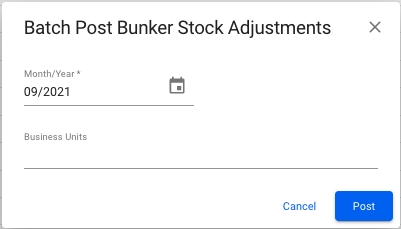
When you are in the Accruals page, and inside the Bunker Stock Adjustments tab, the Batch Post button is located on top of the top left corner of the table with the bunker stock adjustments. Click the button to batch post bunker stock adjustments and the modal below will appear on your screen.
Fill inn the Month/Year field, and Business Unit if wanted. When clicking 'Post' a pop up will appear telling you how many documents will be posted. Press the 'Post' button to complete posting.
List of the Bunker Stock Adjustments
The list is display either as a table or as cards, depending on the width of your screen
Columns in the list are as follows:
Document Type
Document No
Document Date
Account
Vessel
Voyage Reference
Business Partner
Document Text
Currency
Amount
Status filter is always active and set to Pending by default.
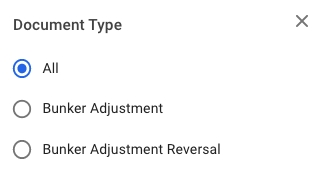
Document Type filter is always active and set to All Types by default.
The search bar enables searching for Bunker Stock adjustment by Document text. The search is not case-sensitive and will return all Adjustments with Document Text containing the entered search text.
Additional Filters
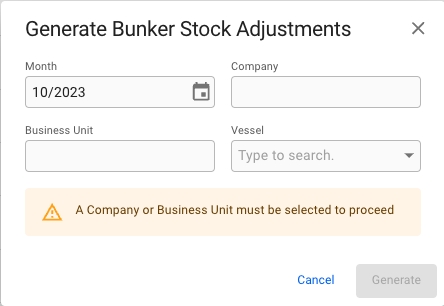
When clicking the Generate button in the top left corner, a modal will appear where you can select month/year, business unit, company and vessel to generate bunker stock adjustments.
Fill in the required fields and optional fields if desired. For business unit and company it is possible to select multiple. Then click confirm to generate bunker stock adjustments with the corresponding parameters. Required fields:
Month
Business Unit OR Company
Optional Fields:
Business Unit OR Company (if the other is selected already)
Vessel
Month
Vessel
Voyage Reference
Business Unit
Company
Account
There are numerous sorting options for the list. If you select more than one sorting option the list will be sorted first by the first selected sort option, then by the second selection clicked and so forth. List can be sorted by either clicking the header of the column you want to sort by or using the sorting menu.
Available sorting options
Document Type
Document No
Document Date
Account
Vessel
Voyage Reference
Business Partner
Document Text
Currency
Amount
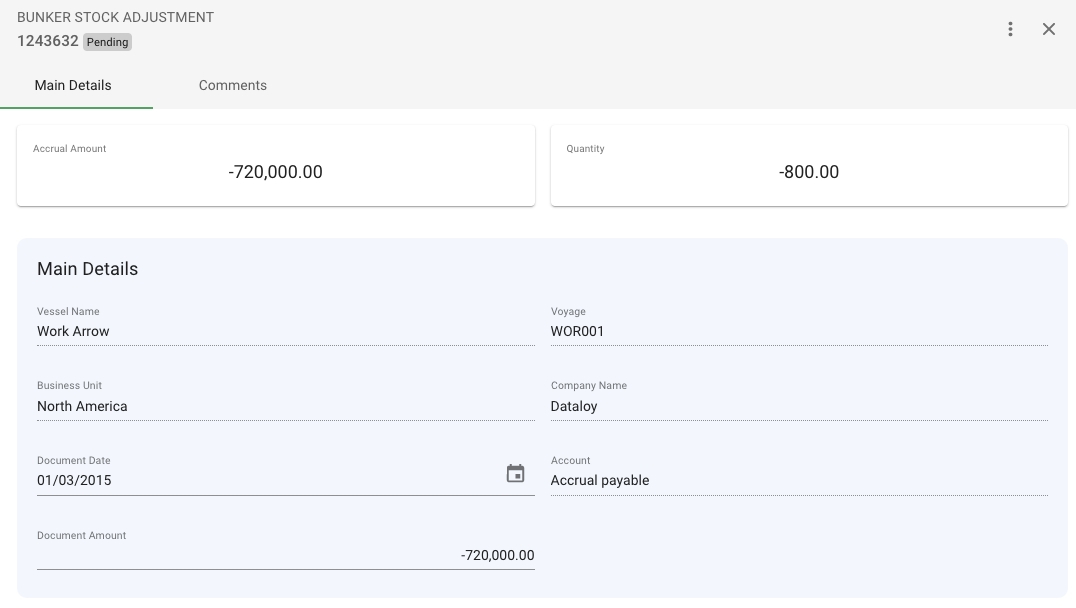
The drawer to display a Bunker Stock Adjustment
There are two tabs. One for main details and one for Comments. In the comments tab, as in most drawers, you can enter comments, and read up on previous comments made related to this specific Bunker Stock Adjustment.